Se afișează postările cu eticheta NLE. Afișați toate postările

joi, 20 octombrie 2016

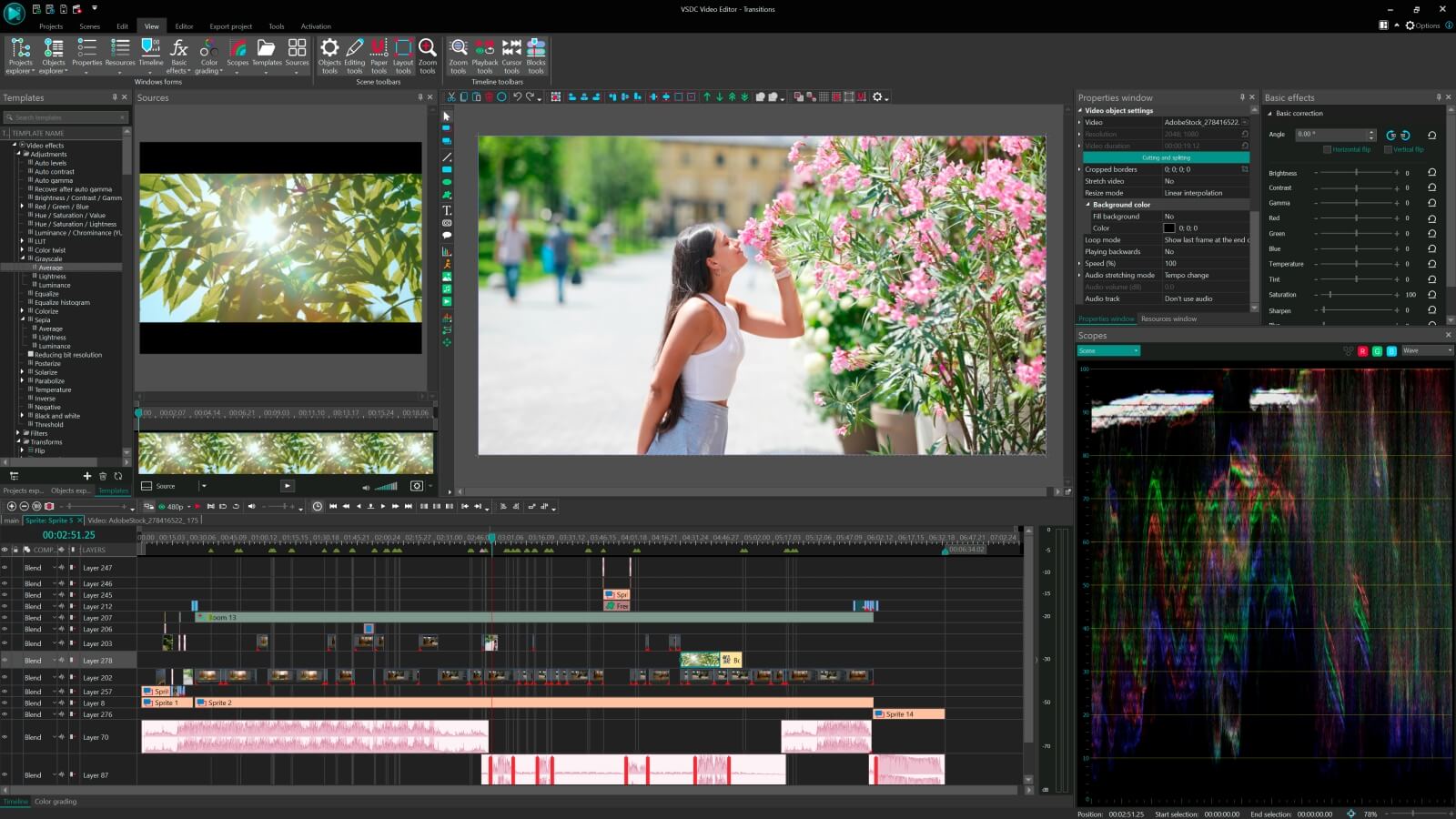
Giveaway: VSDC Pro NLE Video Editor 5.5

VSDC Pro NLE Video Editor 5.5
A light professional non-linear video editing suite for creating a movie of any complexity – from a family greeting, a drone or action camera clip in the UHD quality to a business presentation with a wide array of charts and diagrams.

Key features:
  • Import from any devices and cams. All formats supported;
  • Everything for hassle-free basic editing: cut, crop and merge files, add titles and favorite music;
  • Visual effects and trendy Instagram-like filters;
  • All multimedia processing done from one app: video editing capabilities reinforced by a video converter, a screen capture, a video capture and a disc burner;
  • Non-linear editing: edit several files simultaneously;
  • High quality export – no conversion quality loss, double export speed even of HD files due to hardware acceleration;
  • Essential toolset for professional video editing: blending modes, Mask tool, advanced multiple-color Chroma Key.
Download link available today:
https://www.giveawayoftheday.com/vsdc-pro-video-editor-version-5-5-0/

Download.com review (free edition): http://download.cnet.com/VSDC-Free-Video-Editor/3000-13631_4-75764187.html


Free alternatives (video editors):

Free alternatives for video converters and simple cuts:

joi, 4 august 2016

Giveaway: HitFilm 4 Express + Sci-fi adventure pack for Windows & Mac

HitFilm 4 Express
HitFilm 4 Express is the software to include all-in-one editing and professional visual effects backed up with a vast range of tutorials and unparalleled support. No other free product has multi-track video editing, advanced 2D and 3D compositing and over 100 effects.

There is also Sci-fi adventure pack included: The force will be with you, always - as long as you’ve got this pack! Includes semi-automated lightswords, 3D laser blasts and 100% authentic opening title crawl. Usually $24.99 - you get it for FREE today!

Download link available today (Windows): https://www.giveawayoftheday.com/hitfilm-4-express-sci-fi-adventure-pack/

Download link for Mac version: HitFilm4-Express-Scifi-Adventure-Pack-Mac

HitFilm review: http://www.provideocoalition.com/hitfilm-4-express-free-editing-3d-compositing-app/

Introduction to HitFilm - How to make Iron Man HUD effects - part 1


Free alternatives (video editors):
Free alternatives  for video converters and simple cuts:


luni, 27 iulie 2015

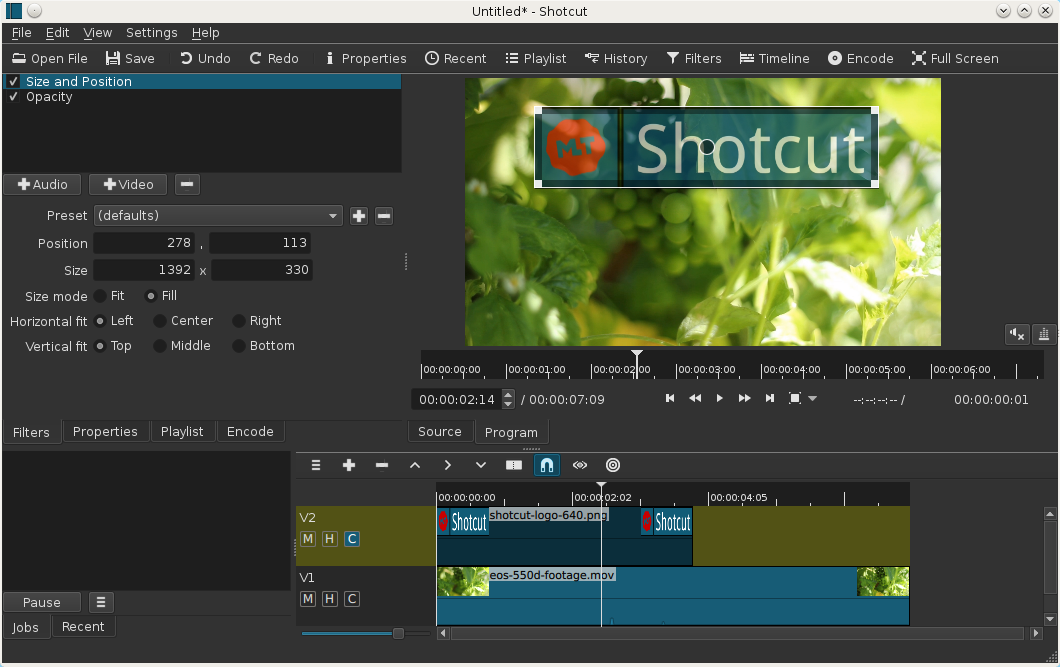
Shotcut video editor - 4K support in 15.07 release

Shotcut video editor
Shotcut is a free and open-source video editing app (64 bit) for Windows, Linux and MacOs based on MLT media framework.

Version 15.07 of Shotcut is now available for download.
New features and changes:
4K logo
  • 4K UHD support
  • 5 new video filters:
    • Old Film: Dust
    • Old Film: Grain
    • Old Film: Projector
    • Old Film: Scratches
    • Old Film: Technocolor
  • 5 new audio filters:
    • Bass & Treble (3-band graphic equalizer)
    • Band Pass
    • High Pass
    • Low Pass
    • Notch
  • Added Insert Track and Remove Track
  • New default Encode settings produce a better quality H.264 MP4 file
  • Composite now defaults to on/enabled for new video tracks
animated GIF of old film effects

Quickstart

  • You open files by drag-n-drop in addition to the usual menu and toolbar methods.
  • MLT XML files can be opened as a clip; so, you can use Shotcut to test your XML.
  • Tap J, K, L to control playback speed and direction. Tap J or L repeatedly to go faster.
  • Tap I or O to set the in and out points.
  • Press left or right cursor keys to step frame-by-frame.
  • Press page up or down to step one second at-a-time.
  • Press alt+left or alt+right to jump between start, in, out, and end.
  • Right-click the video window to access its settings.
  • Version is based on date. You can choose to update whenever you like and keep multiple versions (new versions are available monthly).
Useful links:
Article from: http://www.shotcutapp.com/

miercuri, 15 iulie 2015

FXhome releases Hitfilm 3 Express for free - video editing and effects software

HitFilm is an all-in-one program, bringing together video editing, 3D compositing and visual effects functionality into a single application.
Last year, FXhome released Hitfilm 2 Express: a free edition of its editing, compositing and visual effects software. It proved so popular that the developer has just done the same thing with version 3.
HitFilm 3 Express, out today, contains the application’s core functionality, and is licensed for commercial use.
A powerful editing and effects tool in its own right
As with its predecessor, HitFilm 3 Express is a cut-down version of the current commercial version of the software, HitFilm 3 Pro, but it’s still a pretty powerful application in its own right.
For a start, you get the core editing and 3D compositing functionality from the Pro edition, plus 157 built-in 2D and 3D effects, including greenscreen, grading, and a range of lights and flares.
It’s also a GPU-accelerated app, and one designed to run on relatively modest hardware: the minimum system is an Intel Core-i3 CPU or AMD equivalent, 4GB RAM and Intel HD 4000 integrated graphics.
Custom training from Film Riot
There’s also some nice training material to help you get started, based around Portal Combat, Film Riot‘s new VFX short, created exclusively using HitFilm 3 Express, which you can see at the top of the story.
You can download the source footage from FXhome’s website, and view a series of video tutorials designed to have you “editing like a pro in no time. Or at least like someone who’s followed an editing tutorial.”
So what are the limitations?
Not surprisingly, there are some restrictions on what you can do in Express. First off, some of the content from the commercial edition has been split out into a range of paid-for extension packs.
These include both themed FX types (film damage, light flares, sci-fi effects, and so on) and specific toolsets, including advanced grading, noise removal, the particle engines and 3D model support.
Mocha HitFilm, the version of Imagineer Systems’ planar-tracking technology integrated into the Pro version of the software, is also a paid add-on, as is import of Dolby AC3 and AVCHD video.
In addition, there are some things you can only do in the Pro edition, like exporting in OpenEXR format or at a resolution over 1080p – the Pro version bumps the limit up to 4K.
There are also 12 effects that are exclusive to the Pro edition, as are HitFilm 3’s new effects plugins for Vegas Pro, Premiere Pro, Final Cut Pro X, DaVinci Resolve, After Effects and Motion.


You can find a comparison table for the two editions here.

Free alternatives:

marți, 14 iulie 2015

Blackmagic Design: DaVinci Resolve 12 - NLE video editor

Blackmagic Design: DaVinci Resolve 12 - NLE video editor
Blackmagic has been transforming Resolve over the past few years into a powerful NLE video editor (non-linear editor) coming close to Premiere Pro CC, Final Cut Pro X and Avid Media Composer.
DaVinci Resolve 12 combines professional non-linear video editing with the world’s most advanced color corrector so now you can edit, color correct, finish and deliver all from one system! DaVinci Resolve is completely scalable and resolution independent so it can be used on set, in a small studio or integrated into the largest Hollywood production pipeline! From creative editing and multi camera television production to high end finishing and color correction, only DaVinci Resolve features the creative tools, compatibility, speed and legendary image quality you need to manage your entire workflow, which is why it is the number one solution used on Hollywood feature films.

Download link: https://www.blackmagicdesign.com/products/davinciresolve

Product comparison - Lite (free) and full version: https://www.blackmagicdesign.com/products/davinciresolve/compare

What's New


Editing


Multi-Cam Editing


Color Correction


Free alternatives:

vineri, 19 septembrie 2014

Shotcut - open source Video Editing

Shotcut - Video Editing
Shotcut is a free and open-source video editing app for Windows, Linux and MacOs.

These are all currently implemented features. See the Roadmap for planned features.

  • supports audio and video formats and codecs thanks to FFmpeg (or libav as-built)
  • supports many image formats such as BMP, GIF, JPEG, PNG, SVG, TGA, TIFF as well as image sequences
  • no import required - native editing
  • frame-accurate seeking for many formats
  • multi-format timeline: mix and match resolutions and frame rates within a project
  • screen capture (Linux only) including background capture to capture a Shotcut session
  • webcam capture (Linux only)
  • audio capture (Linux only; PulseAudio, JACK, or ALSA)
  • network stream playback (HTTP, HLS, RTMP, RTSP, MMS, UDP)
  • frei0r video generator plugins (e.g. color bars and plasma)
  • Blackmagic Design SDI and HDMI for input and preview monitoring
  • JACK transport sync
  • deinterlacing
  • detailed media properties panel
  • recent files panel with search
  • drag-n-drop files from file manager
  • save and load trimmed clip as MLT XML file
  • load and play complex MLT XML file as a clip
  • audio signal level meter
  • volume control
  • scrubbing and transport control
  • flexible UI through dock-able panels
  • encode/transcode to a variety of formats and codecs thanks to FFmpeg (or libav as-built)
  • capture (record) SDI, HDMI, webcam (V4L2), JACK, PulseAudio, IP streams, X11 screen
  • stream (encode to IP) files and any capture source
  • batch encoding with job control
  • create, play, edit, save, load, encode, and stream MLT XML projects (with auto-save)
  • unlimited undo and redo for playlist edits including a history view
  • connect to Melted servers over MVCP TCP protocol
  • control the transport playback of Melted units
  • edit Melted playlists including suport for undo/redo
  • OpenGL GPU-based image processing
  • multi-core parallel image processing (when not using GPU and frame-dropping is disabled)
  • video filters: Blur, Color Grading, Crop, Diffusion, Glow, Invert Colors, Mirror, Opacity, Rotate, Saturation, Sepia Tone, Sharpen, Size and Position, Stabilize, Text, Vignette, Wave, White Balance
  • audio filters: Balance, Copy Channel, Downmix, Gain, Normlize, Pan, Swap Channels
  • 3-way (shadows, mids, highlights) color wheels for color correction and grading
  • eye dropper tool to pick neutral color for white balancing
  • UI translations: Catalan, Chinese, Czech, Danish, English, French, German, Portugese, Spanish (not all 100%, but you can help)
  • HTML5 (sans audio and video) as video source and filters
  • Leap Motion for jog/shuttle control
  • DeckLink SDI keyer output
  • UI themes/skins: native-OS look and custom dark and light
  • control video zoom in the player: fit viewable area (default), 50%, original (100%), and 200%
  • multitrack timeline with thumbnails and waveforms
  • thumbnail and waveform caching between sessions
  • audio mixing across all tracks
  • video compositing across video tracks
  • trimming (on timeline)
  • append, insert, overwrite, lift, and delete (ripple) editing on the timeline
  • 3-point editing
  • external monitoring on an extra system display/monitor
  • fade in and out audio and fade video from and to black with easy-to-use fader controls on timeline
  • cross-fade audio and video dissolve transitions easily by overlapping shots on the same track of the timeline
  • video wipe transitions: bar, barn door, box, clock (radial), diagonal, iris, matrix, and custom gradient image 
Homepage and download link: http://www.shotcut.org/bin/view/Shotcut/WebHome
CNET review: http://download.cnet.com/Shotcut/3000-13631_4-75906006.html
Softpedia review: http://www.softpedia.com/get/Multimedia/Video/Video-Editors/Shotcut.shtml 

Getting started tutorial for Shortcut:

vineri, 8 noiembrie 2013

Using Blender NLE video editor

Brief tutorial (23 minutes) by Paul Caggegi that explains the basics of video editing, and shows you how to set up Blender as a Non Linear Editor. A .blend file with the windows layout and a key configuration file are available for download via the blog post.


Adding transitions