Se afișează postările cu eticheta raw developer. Afișați toate postările

miercuri, 16 noiembrie 2016

Giveaway: PHOTO WORKS projects 3 photo editor

PHOTO WORKS projects 3 photo editor
PHOTO WORKS projects 3 automatically edits photos by combining an analysis of colour, brightness and contrast information. Flat shadows disappear with each click, and colours and contrasts become more intensely defined. The software simultaneously offers advanced options as well as creative editing with an expert mode for ambitious photographers. Photo editing professionals can freely and individually customize the following setting details to their subject: denoise, sharpness, contrast, brightness and shadow optimization, gamma and colour settings, filters, emulations, etc.

Download link available today:https://www.giveawayoftheday.com/photo-works-projects-3/

1 Photo, Over 100 Different Looks Photo editing is so yesterday! Get the ideal settings immediately with just one click. With PHOTO WORKS projects 3, you can finally have fun with photography again! The 107 filter presets instantly show you what possibilities your image holds. The professional combination of effects and colour filters turn your normal images into works of art. In expert mode, you are at the helm. PHOTO WORKS projects 3 directly edits RAW files and offers beginners along with experts ideal image optimizing tools.

In the graphic design world, working with Adobe® Photoshop is now considered to be basic. I can totally understand sometimes getting overwhelmed with the many functions of this powerful program, especially when it is “only” for editing photos. PHOTO WORKS projects 3 offers me numerous presets right away, that I can customize as required: contrast, brightness, sharpness, colour… A picture is already finished before I needed to think about the result I wanted, all simple and fast without layers and masks. Whoever wants to optimize photos efficiently and truly professionally is right on with PHOTO WORKS projects 3!

A List of all supported Camera Formats can be found using the following link:
PHOTO WORKS PROJECTS 3 SUPPORTED CAMERA FORMATS
For Photo Editing Experts: RAW Module And Selective Editing Colour isn’t the only thing that can be improved. Individual details can be selected and emphasized with masking to direct the viewer’s attention. PHOTO WORKS projects 3 supports popular image formats including RAW files, and nearly all camera and smartphone manufacturer formats. With 107 presets and more than 109 effects, you have access to high-end retouching, colour correction and creative editing for your photos.

Tutorial:


Free Alternatives:

luni, 23 mai 2016

Giveaway: HDR Projects 3 for Windows & Mac

HDR Projects 3 - photo editor
HDR Projects 3 offers photo enthusiasts the tools to create masterful images. The software generates real 32 bit images, containing all of the brightness information of the real world and not just a part of it, like systematic digital cameras. Aided by innovative algorithms, intelligent presets and high-end filters, you can create images that are beyond inspiring.
Features:
  • NEW! Complete RAW module for best image quality and maximum editing options;
  • NEW! Individual expansion with Add-on system;
  • NEW! Remove sensor spots, level horizons, add vignetting and correct distortions;
  • NEW! Smart Colorspace Adaption (SCA) for the finest detailed color gradation;
  • Informed Optimization Assistant.
Donwload link available today:  https://www.giveawayoftheday.com/hdr-projects-3/
If you are a Mac user please download an installation file here (66.9 MB).

Free Alternatives


joi, 7 aprilie 2016

Giveaway: PT Photo Editor Pro 3.2

PT Photo Editor
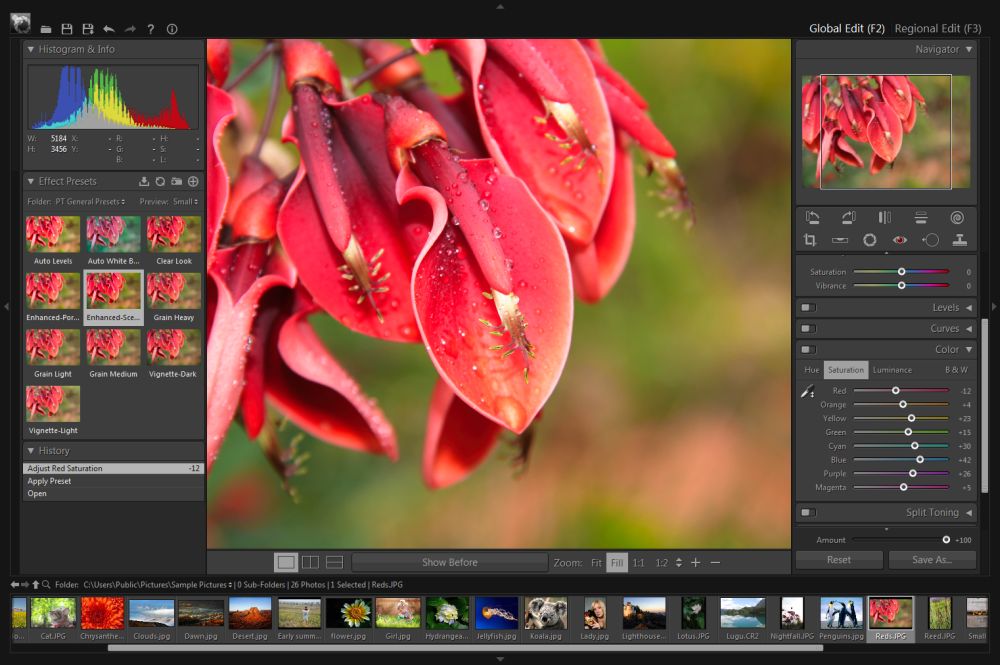
PT Photo Editor is an efficient application designed to edit photos like a professional in an easier and faster way. You can easily correct color cast and exposure problem, remove imperfections, do quick selective editing and much more.
Key Features:
  • Easy to use editing tools such as blemish removal, red-eye correction, clone and heal tool;
  • Pro-quality adjustments: white balance, exposure, contrast, clarity, auto-levels, hsl, noise reduction and more;
  • One click effect presets;
  • Easy and smart selective editing way;
  • Full-time 16-bit processing and full color managed;
  • Lightweight
Download link available today: https://www.giveawayoftheday.com/pt-photo-editor-3-2/

Tutorials:

Free Alternatives:


luni, 21 martie 2016

Giveaway: Zoner Photo Studio 17 PRO

Zoner Photo Studio 17 PRO
The only photo software you will ever need. It is a user-­friendly Windows software, that brings every feature you need in a single package. From importing photos onto your PC to organizing a photo archive, editing, sharing, and RAW files support. Almost every Zoner`s feature can be applied to batches of photos. For example, you can apply frame to 1000 vacation photos at once, resize them the size you need for a photo album, saving you time.


Zoner Photo Studio 17 PRO
Features:
  • Importing: Right as you're downloading your pictures to your PC, you can tag them, rotate them to match camera rotation (EXIF), back them up, and more.;
  • Managing: Give photographs a rating from 1­5, colored labels, descriptions, and more. Drag­and­drop them onto an integrated Google Map to GPS­tag them, so you'll know exactly where your photos were taken even years from now. Then find any photo you need in seconds, even among thousands of others;
  • Editing: Dozens of photo editing and retouching features: cropping, resizing, straightening, local edits, exposure and color fixes and more. A Quick Edits panel helps you fix a picture in moments using just a few sliders. The Editor also offers dozens of creative Quick Filters and other creative tools like HDR, Tone Mapping, 3D, panoramas, cartoon, lens flare;
  • Sharing: Share straight from Zoner to Facebook, Flickr, and more, including Zoner's own Zonerama: the first truly unlimited gallery;
  • RAW: An improved, faster RAW module with start-­to-­finish processing of your DSLR's RAW files, with lots of practical perks such as RAW+JPEG stacking.

Download link available today: https://www.giveawayoftheday.com/zoner-photo-studio-17-pro/

About.com review ****: http://graphicssoft.about.com/od/productreviews/ss/Zoner-Photo-Studio.htm  
Download.com review****: http://download.cnet.com/Zoner-Photo-Studio/3000-2192_4-75186165.html

Zoner free Android photo apphttp://www.zoner.com/en/zoner-photo-studio-for-android 
Google play - Zoner Android photo app: https://play.google.com/store/apps/details?id=com.zoner.android.photostudio 

Free Alternatives:

miercuri, 16 septembrie 2015

Giveaway - Ashampoo Photo Commander 12 - photo manager and editor

Ashampoo Photo Commander 12
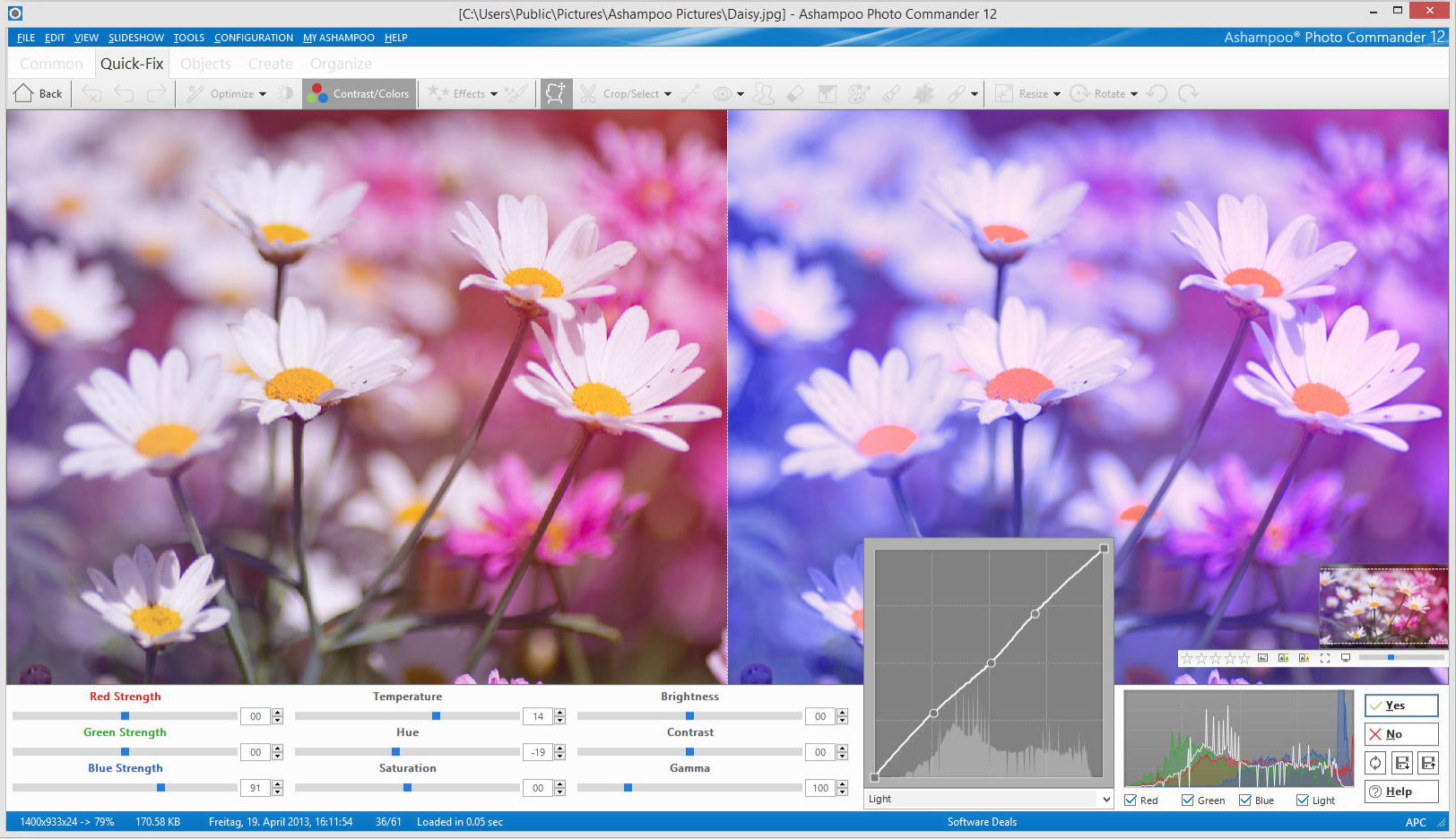
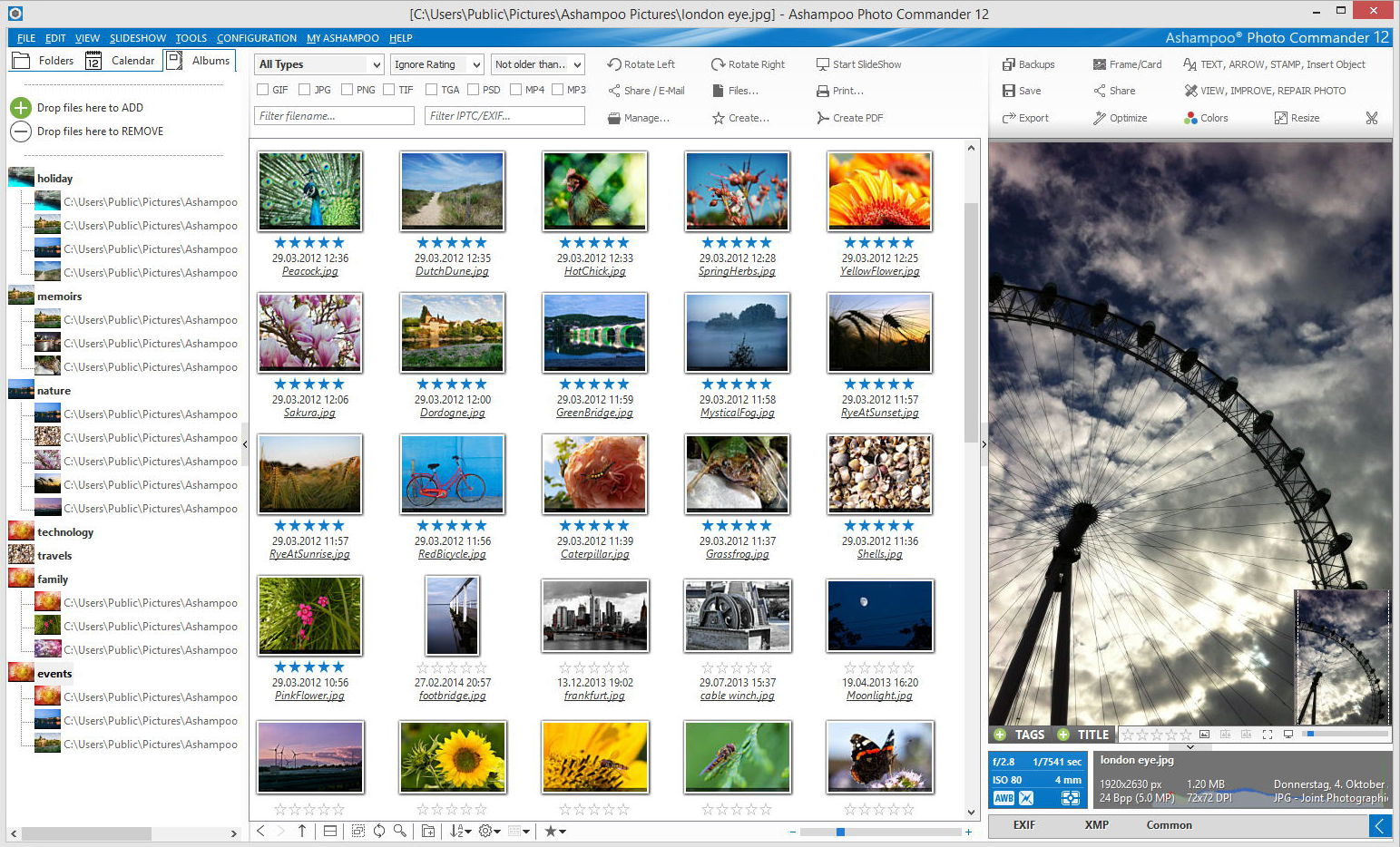
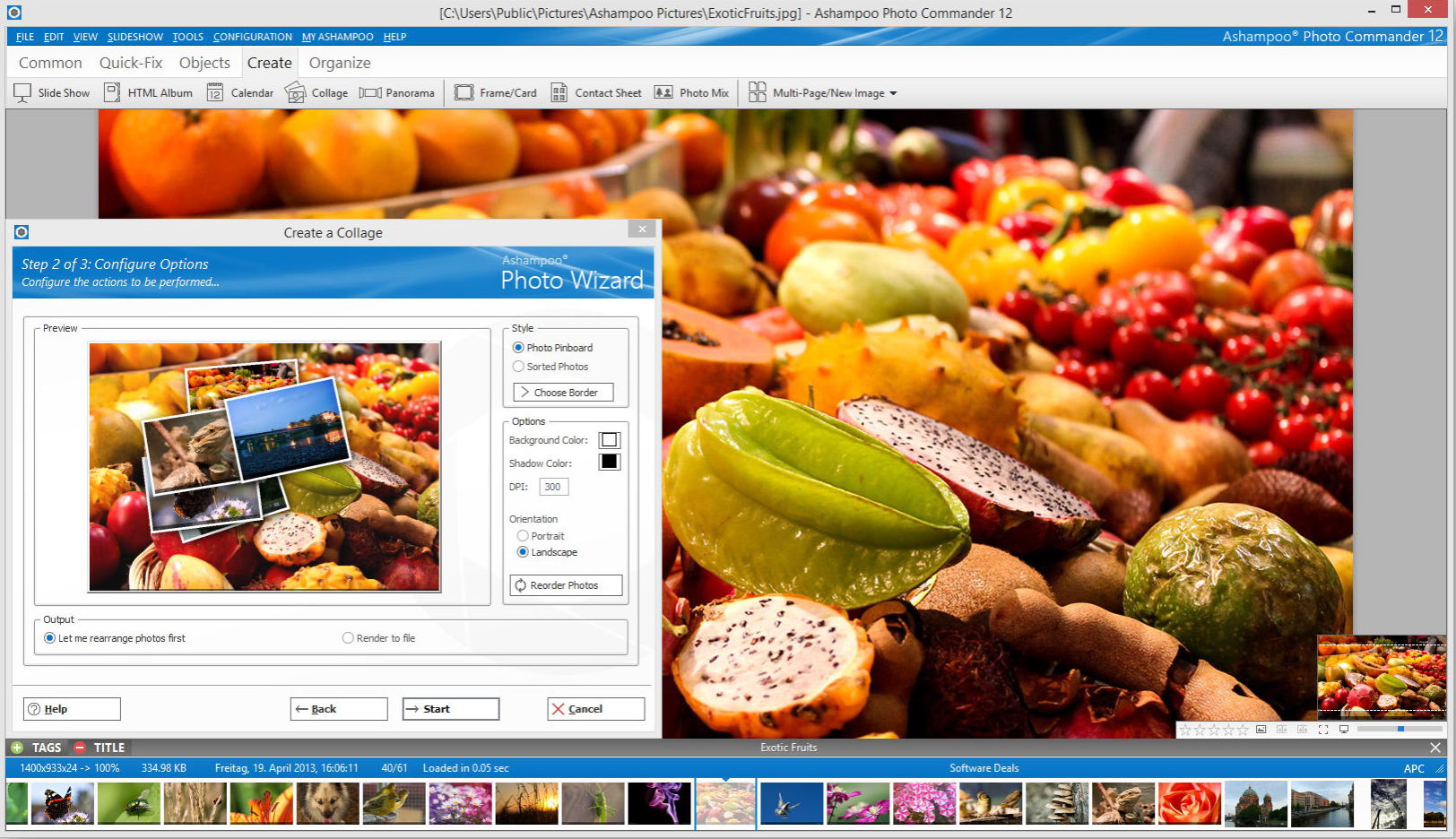
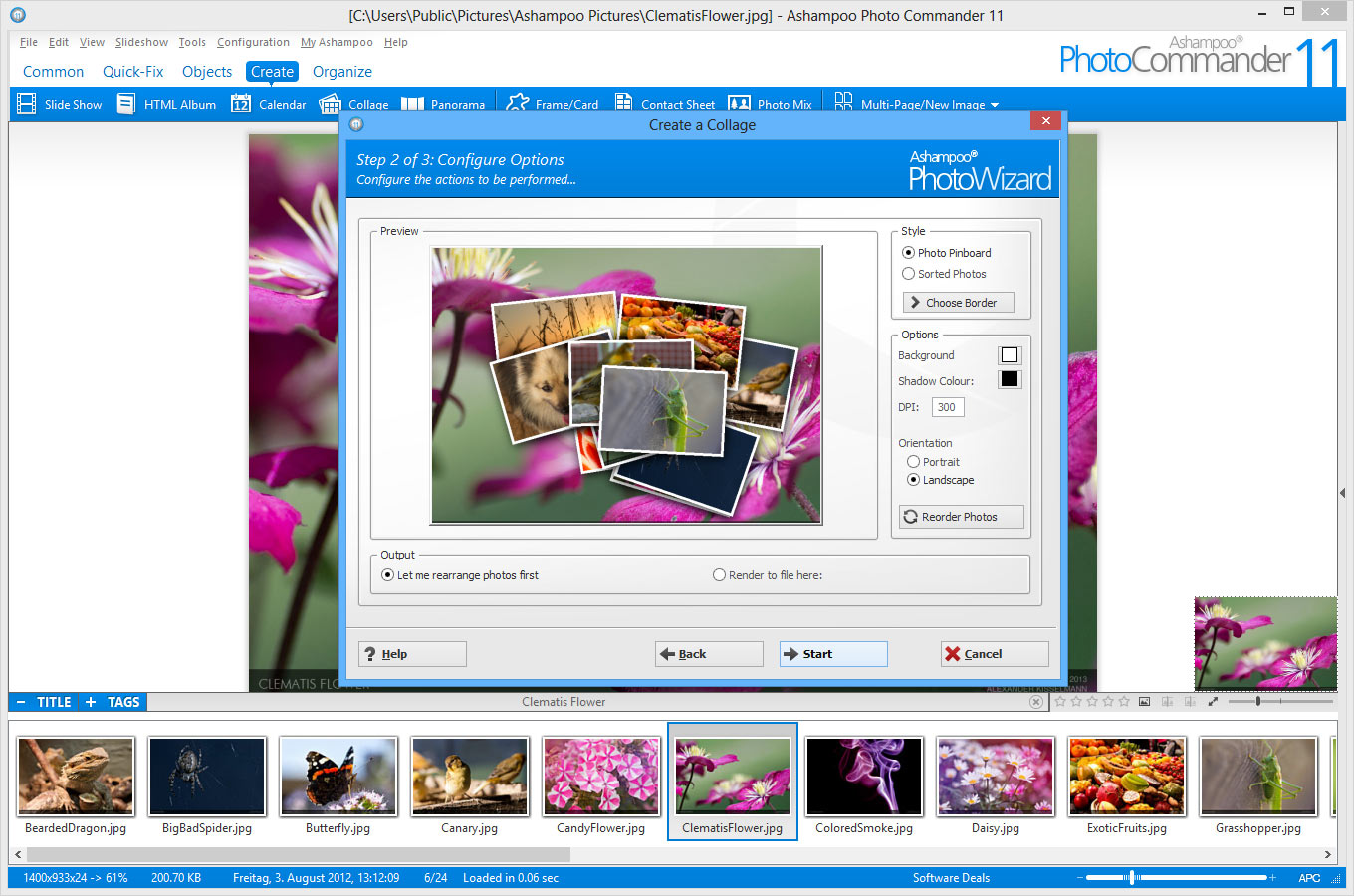
Ashampoo Photo Commander 12 provides maximum opportunities for processing your photos. Easily open large photo collections and delete destructive objects quickly. Customize the colours, contrast and make your photo collection shine bright. This program will help you to express your creativity and add professional effects to your photos. You can also impress your friends and family with your own calendars, collages and greeting cards.

Key features:
Ashampoo Photo Commander 12 - organize photos

  • Easier to use;
  • Smart photo imports;
  • Faster image browsing with miniature views;
  • Enhanced file manager with cloud support;
  • New designs and gradients;
  • Enhanced wizards;
  • 1-Click object management and quick-access styles.
Ashampoo Photo Commander 12 - collage
Download  link available today: http://www.giveawayoftheday.com/ashampoo-photo-commander-12/

Download.com review: http://download.cnet.com/Ashampoo-Photo-Commander/3000-12511_4-10109566.html

More details: https://www.ashampoo.com/en/usd/pde/1818/multimedia-software/photo-commander-12 

Free Alternatives:

marți, 8 septembrie 2015

Giveaway - Zoner Photo Studio 16 Pro

Zoner Photo Studio
Zoner Photo Studio is a user ­friendly Windows software that offers every photo tool you need in one place. This “Lightroom alternative” brings photos to your PC: download, organize, edit, share, and develop them from RAW. And do it all for batches as easily as for single photos.

Key Features:

  • Photo editing and retouching – cropping, resizing, straightening, local edits, exposure and color fixes and more;
  • Quick Edits that help you fix a picture in moments using just a few sliders;
  • Importing – While downloading your pictures to your PC, you can tag them, rotate them to match camera rotation, back them up, and more;
  • An Editor offering dozens of Quick Filters and other creative tools like HDR, Tone mapping, 3D, and panoramas;
  • Tagging – rating photographs from 1­5, colored labels, descriptions, and more. Drag-­and­-drop them onto an integrated Google Map for GPS tagging;
  • Sharing straight to Facebook, Flickr, and more, including Zonerama: the first truly unlimited gallery;
  • Fast RAW development – start­-to­-finish processing for your RAW files, with lots of practical perks.
Download  link available today: http://www.giveawayoftheday.com/zoner-photo-studio-16-pro-2/

About.com review ****: http://graphicssoft.about.com/od/productreviews/ss/Zoner-Photo-Studio.htm 
Download.com review****: http://download.cnet.com/Zoner-Photo-Studio/3000-2192_4-75186165.html

Zoner free Android photo app: http://www.zoner.com/en/zoner-photo-studio-for-android 
Google play - Zoner Android photo app: https://play.google.com/store/apps/details?id=com.zoner.android.photostudio

Free Alternatives:

sâmbătă, 11 aprilie 2015

Giveaway - Cyberlink Photo Director 5

CyberLink PhotoDirector
CyberLink PhotoDirector 5 is an award-winning photography software, which combines photo management, editing and adjustment in a seamless workflow. With native 64-bit support, non-destructive tools and RAW support for popular DSLRs, PhotoDirector is all you need to turn your photos into works of art!

Key features:

  • Easily manage your photo with smart albums and Face Tags;
  • Giveaway - Photo Director 5Create flawless portraits by removing wrinkles, smoothening skins and whitening teeth with People Beautifier Tools;
  • Adjust color, saturation, tone, white balance and curve with powerful regional and global adjustment tools;
  • Enhance scenery photos by applying dramatic HDR effects;
  • Remove unwanted objects in your photos with innovative Content-aware Removal tools;
  • Apply one-click presets to instantly alter the atmosphere of your photos;
  • Instantly showcase your photos on Flickr, Facebook or create photo slideshows.

Download link available today:  
 http://www.giveawayoftheday.com/

Download.com review (ver. 6)
http://download.cnet.com/CyberLink-PhotoDirector/3000-2192_4-75451800.html

Free Alternatives:

miercuri, 28 ianuarie 2015

Giveaway - Zoner Photo Studio 16 PRO

Zoner Photo Studio
Zoner Photo Studio is the only photo software you’ll ever need. User-friendly Windows software, whose №1 advantage is that it brings every feature you need in a single package. From importing photos onto your PC, to organizing a photo archive, to editing, sharing, and RAW. And almost everything Zoner can do, it can do for batches of photos as well. For example, you can give 1000 vacation photos a frame, resize them to the size you need for a photo album, etc., all at once, saving you time.

Without doubt, it is a serious alternative to Adobe Lightroom. Zoner Photo Studio has a similar interface with a logical workflow.

Key Features:

  • Importing: Right as you’re downloading your pictures to your PC, you can tag them, rotate them to match camera rotation (EXIF), back them up, and more.
  • Managing: Give photographs a rating from 1-5, colored labels, descriptions, and more. Drag-and-drop them onto an integrated Google Map to GPS-tag them, so you’ll know exactly where your photos were taken even years from now. Then find any photo you need in seconds, even among thousands of others.
  • Editing: Dozens of photo editing and retouching features – cropping, resizing, straightening, local edits, exposure and color fixes and more. A Quick Edits panel helps you fix a picture in moments using just a few sliders. The Editor also offers dozens of creative Quick Filters and other creative tools like HDR, Tone Mapping, 3D, panoramas, etc.
Download link available today: http://www.giveawayoftheday.com/zoner-photo-studio-16-pro/

About.com review ****: http://graphicssoft.about.com/od/productreviews/ss/Zoner-Photo-Studio.htm 
Download.com review****: http://download.cnet.com/Zoner-Photo-Studio/3000-2192_4-75186165.html

Zoner free Android photo app: http://www.zoner.com/en/zoner-photo-studio-for-android 
Google play - Zoner Android photo app: https://play.google.com/store/apps/details?id=com.zoner.android.photostudio

Free Alternatives:

miercuri, 7 ianuarie 2015

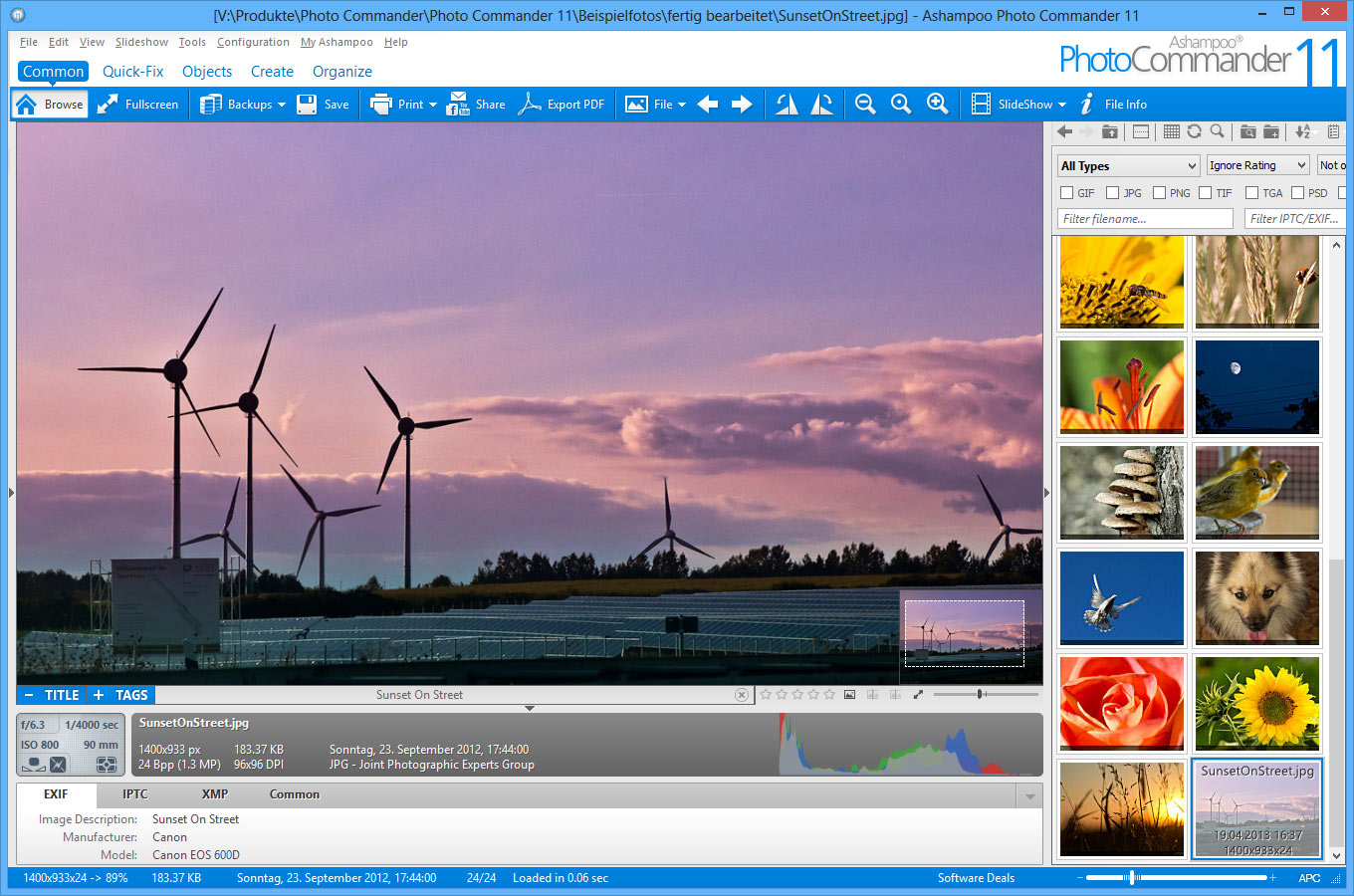
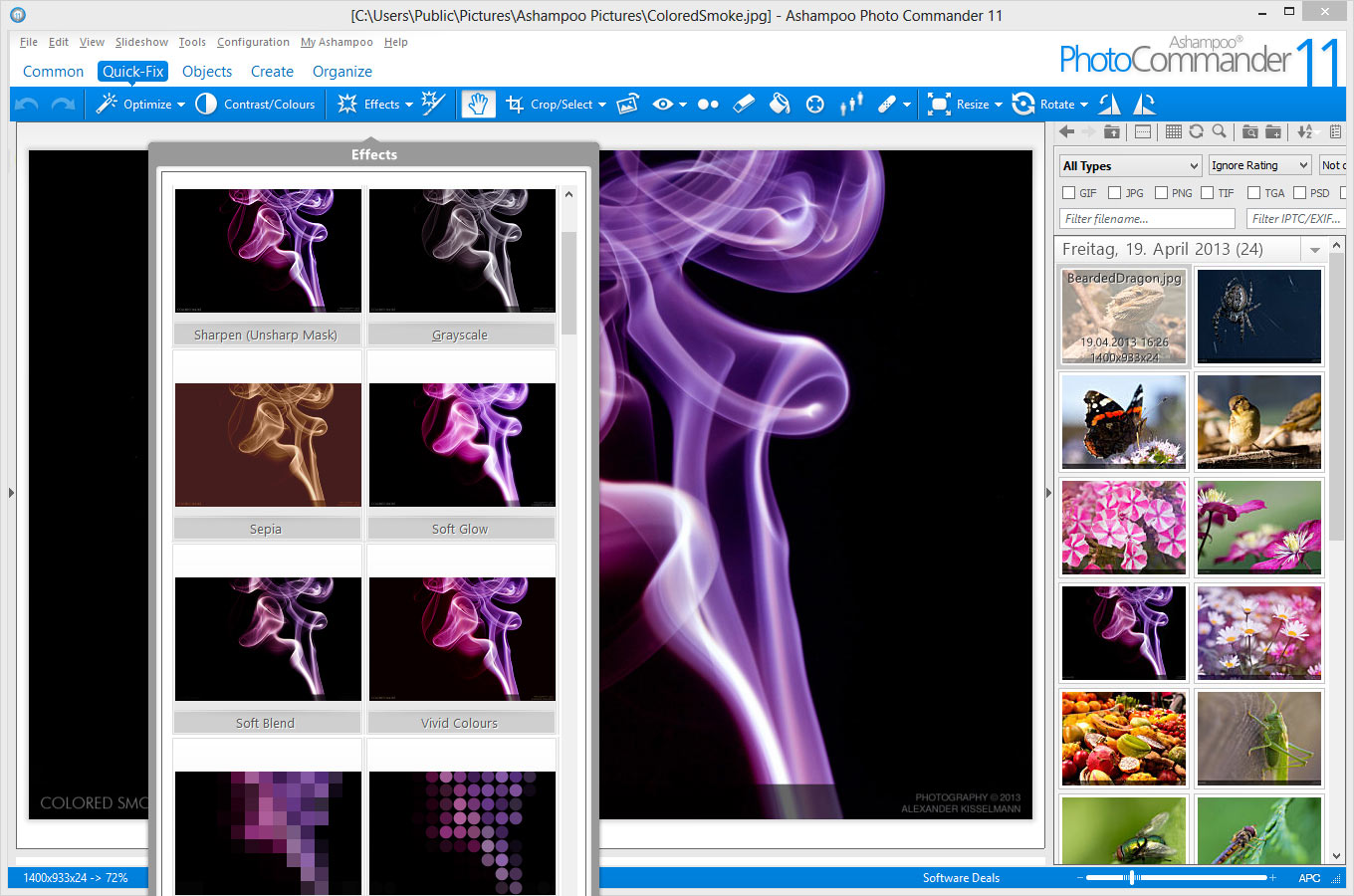
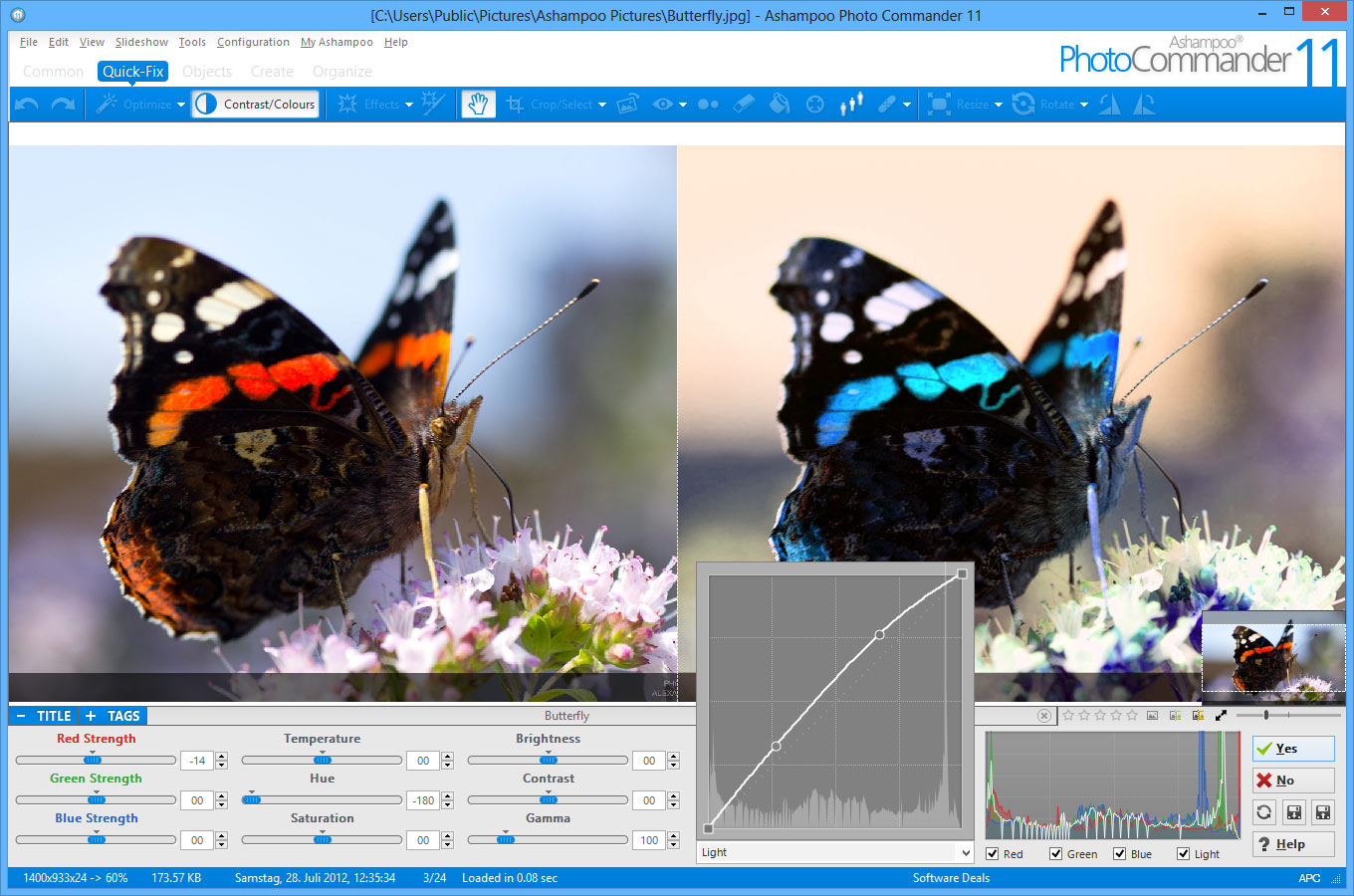
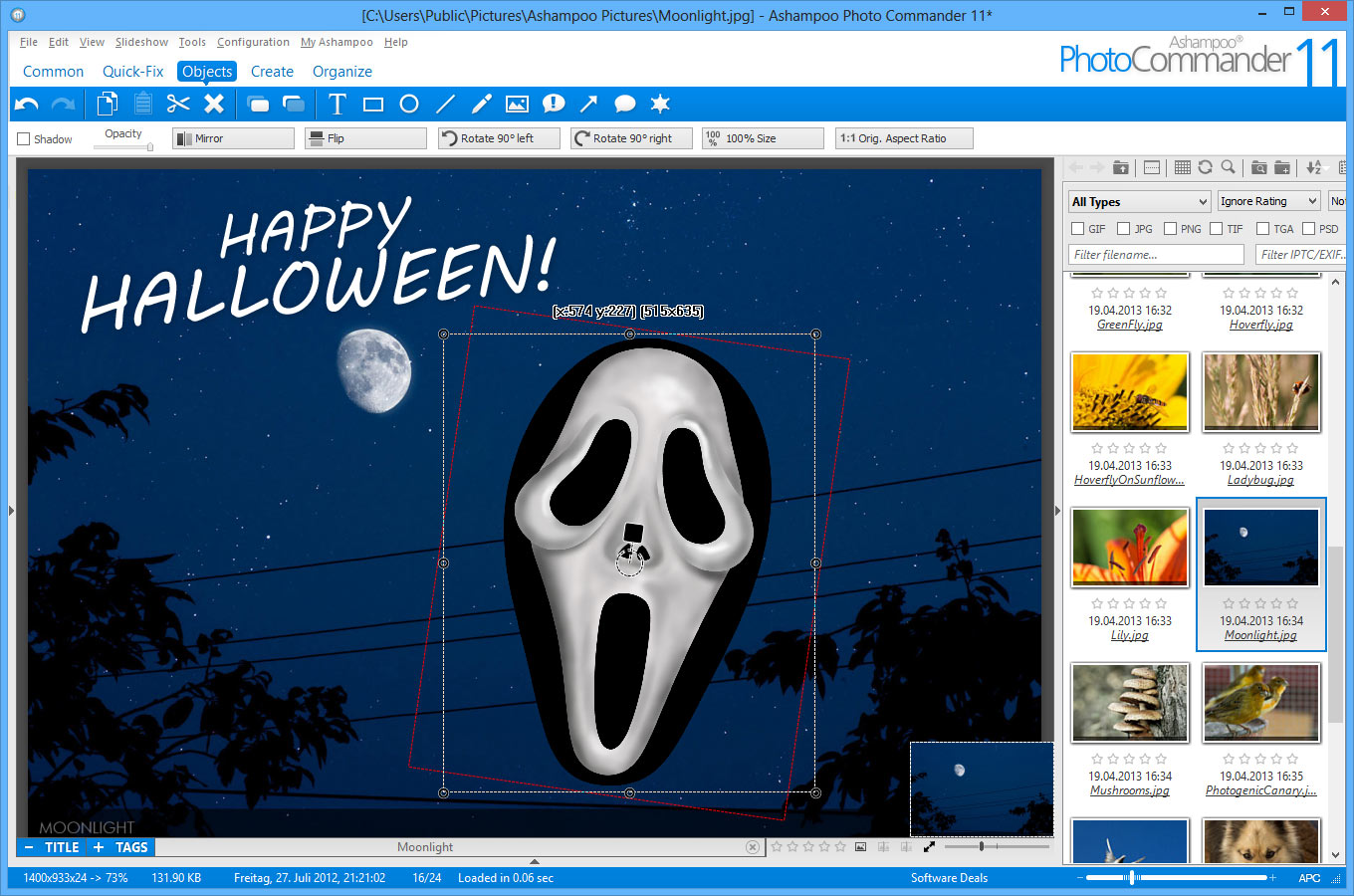
Giveaway - Ashampoo Photo Commander 11 - photo manager

Ashampoo Photo Commander 11 - photo manager
Ashampoo Photo Commander 12 offers good value as an all-in-one photo editor and manager for Windows. It can repair, resize, and optimize digital snapshots, add effects, create albums and slideshows, organize and share images and folders, and a lot more.
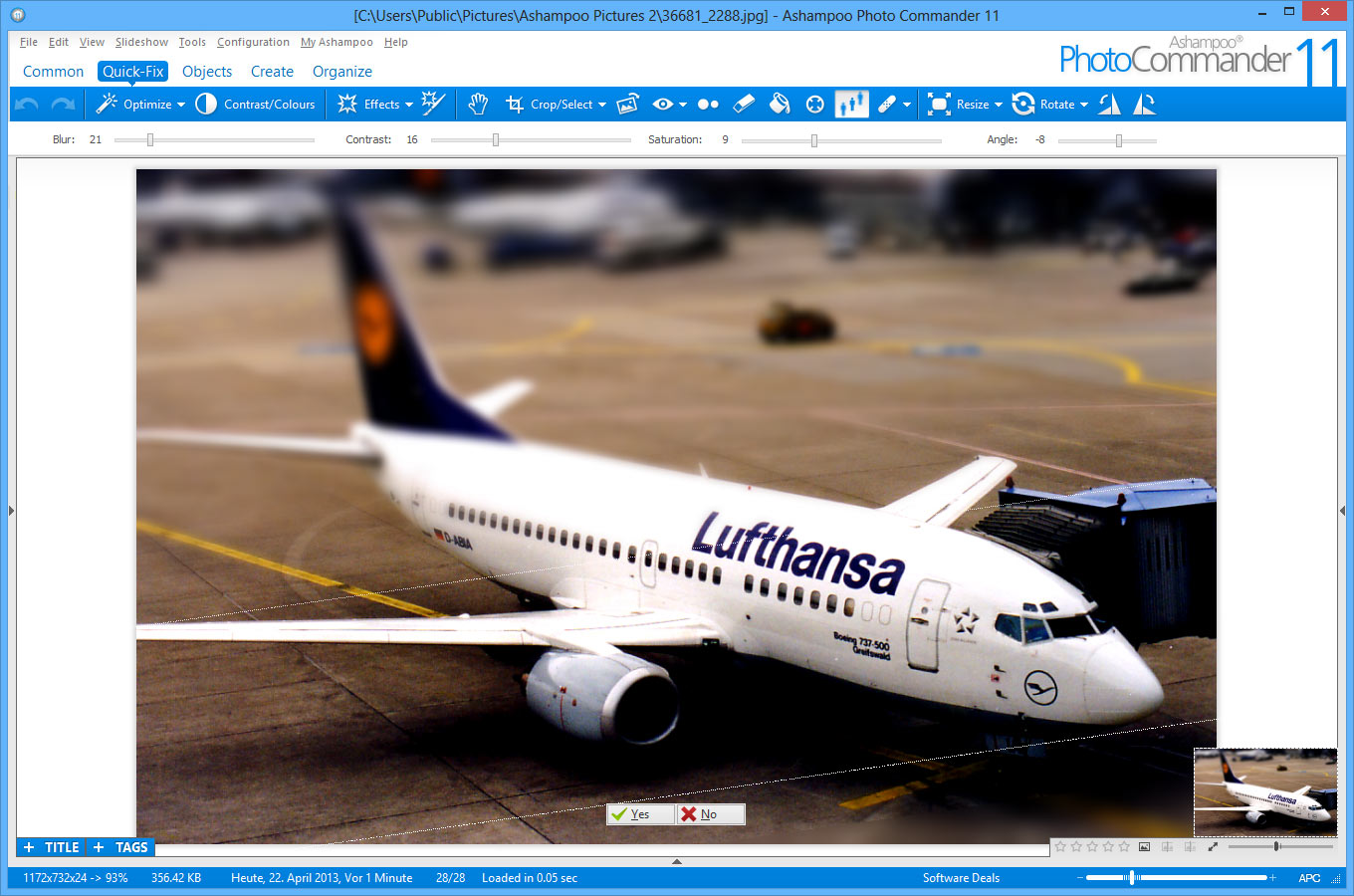
Whether it’s simple brightness, contrast and color manipulations or complex tasks such as image restoration, Ashampoo Photo Commander 11 provides everything you need in one intuitive package.

Key Features:

  • Manage, organize and browse your photo collection;
  • Work with intuitive wizards to achieve best results;
  • Save time and auto-adjust your images for maximum visual clarity;
  • Restore picture quality and remove noise, scratches and other unwanted objects;
  • Become creative with a myriad of brilliant image effects;
  • Convert between numerous image formats;
  • Turn your images into greeting cards, calendars or photo collages;
  • Upload your work to social networks or share your images through email.
Ashampoo Photo Commander 11 - photo manager Ashampoo Photo Commander 11 - photo manager Ashampoo Photo Commander 11 - photo manager Ashampoo Photo Commander 11 - photo manager Ashampoo Photo Commander 11 - photo manager

Download link available today: http://www.giveawayoftheday.com/ashampoo-photo-commander-11-2/

!!! The Giveaway it's even better on the Ashampoo Gift page (PhotoCommander 11, Burning Studio 2015, Snap 7, WinOptimizer 2014, Music Studio ): https://www.ashampoo.com/en/usd/lpa/gift
Coupon code: GIFT


Ashampoo® Burning Studio 2015

Ashampoo® Music Studio 4

Ashampoo® Snap 7 -Capture, illustrate and share your viewing experience.

Ashampoo® Photo Commander 11 -All-in-one image viewer, organizer, editor, converter and publisher

Ashampoo® WinOptimizer 2014 -Optimal improvement, maintenance and adjustment of your Windows® system!

Free alternatives - photo managers and editors:
 

miercuri, 10 decembrie 2014

Darktable 1.6 - photo editor and manager


Darktable 1.6 photo editor and manager

Darktable is a free and open-source photography workflow application and raw developer similar to Adobe Lightroom. A virtual lighttable and darkroom for photographers. It manages your digital negatives in a database, lets you view them through a zoomable lighttable and enables you to develop raw images and enhance them.
The new version 1.6 comes with a new Slideshow mode and some other interesting changes:
  • support for HiDPI/Retina display, plus there's an OSX build again;
  • support for arbitrarily sized images, 26770x13385 large TIFFs successfully tested;
  • TIFF support completely rewritten, reads and writes 32bit float files now;
  • JPEG files are exported with user-defined PPI value now (defaults to 300);
  • color space conversions got faster thank to using OpenMP via LittleCMS;
  • new defringe image processing filter added;
  • the levels and lens correct plugins got an auto mode;
  • linear Rec2020 is now available as a built-in profile.

Download link (MacOs, Linux): http://www.darktable.org/install/

Other free alternatives (Windows, MacOs, Linux):