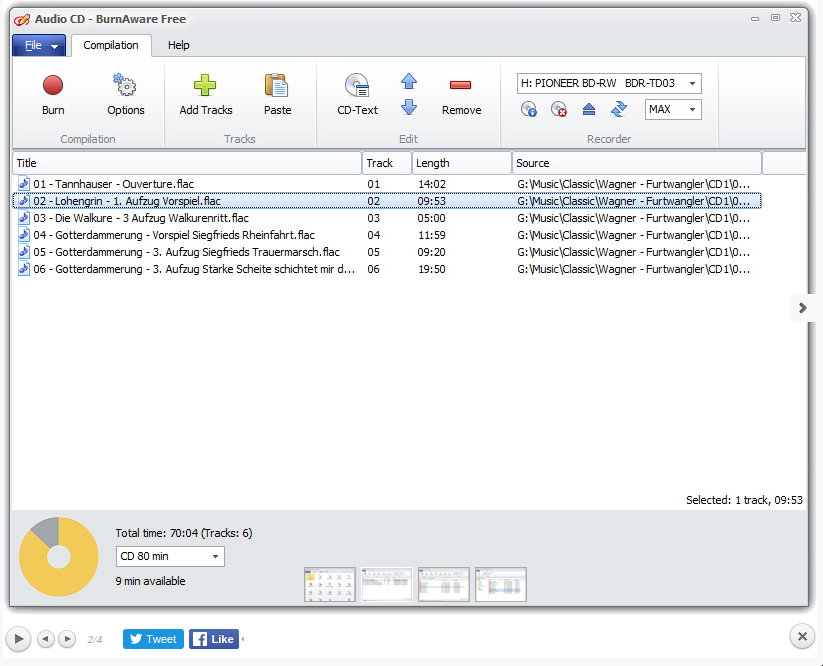
BurnAware is a full-fledged, easy-to-use burning software which allows
users to write all types of files such as digital photos, pictures,
archives, documents, music and videos to CDs, DVDs and Blu-ray Discs.
With BurnAware, you also be able to create bootable or multisession
discs, high-quality Audio CDs and Video DVDs, make and burn ISO images,
copy and backup discs, extract audio tracks, erase and verify data,
recover data from multisession or unreadable discs.
Download link available today: http://www.giveawayoftheday.com/burnaware-premium-8-7/
Free alternatives:
marți, 29 decembrie 2015
miercuri, 16 decembrie 2015
Giveaway: Advanced System Care Pro 9
Advanced SystemCare Pro 9 is an easy-to-use and all-in-one PC
optimization utility that takes one click approach to clean, optimize,
speed up and protect your system, even secure your online privacy. With
newly added Speed Up tab, it greatly accelerates your system, system
boot time, disks and browsers. What's more, it rebuilds and improves
over 10 useful tools like Startup Manager, Performance Monitor, Large
Files Finder, Auto Shutdown, Win Fix to explore your PC's full
potential.
Download link available today: http://www.giveawayoftheday.com/advanced-system-care-9-0-3/
Download.com review: http://download.cnet.com/Advanced-SystemCare-Pro/3000-2086_4-75628962.html
Free alternative: CCleaner/
Download link available today: http://www.giveawayoftheday.com/advanced-system-care-9-0-3/
Download.com review: http://download.cnet.com/Advanced-SystemCare-Pro/3000-2086_4-75628962.html
Free alternative: CCleaner/
luni, 14 decembrie 2015
Giveaway: Color Projects Pro 1.14 Win&Mac
COLOR Projects professional offers unique and new possibilities to
transform digital colour photographs into amazing works of art with
intelligent tools, efficient and crystal clear workflow. With the film
emulation you can intensify portrait images and simulate a classic film
look. Turn your photographs into real eye-catchers – no matter what type
of subject you choose.
In COLOR projects professional – your digital
photo laboratory – you are the director and you can create unique and delightful works of art from the images taken with your camera.
Select “Golden Sun” as an example of the various portrait presets and adapt the settings in the colour balance. You can also easily create new presets from the expert filters.
Light Your Emotion – colour retouching at its best: Soft nuances in the colour and tonal values and in dark or bright areas, guarantee highquality results even for difficult subjects and lighting conditions.
Download link available today: http://www.giveawayoftheday.com/color-projects-pro/
Free alternatives: http://open-source-spot.blogspot.ro/p/photo-editing.html
In COLOR projects professional – your digital
photo laboratory – you are the director and you can create unique and delightful works of art from the images taken with your camera.
Select “Golden Sun” as an example of the various portrait presets and adapt the settings in the colour balance. You can also easily create new presets from the expert filters.
Light Your Emotion – colour retouching at its best: Soft nuances in the colour and tonal values and in dark or bright areas, guarantee highquality results even for difficult subjects and lighting conditions.
Download link available today: http://www.giveawayoftheday.com/color-projects-pro/
Free alternatives: http://open-source-spot.blogspot.ro/p/photo-editing.html
vineri, 4 decembrie 2015
New features in Krita - open source digital painting software
Krita Desktop is a free an open source painting application.
The next version of Krita will be 3.0. There is a lot of development going on fixing issues with shortcuts, issues with the opengl canvas, issues with icons… And making packages. Ubuntu Linux users can already use the Krita 3.0 Unstable packages in the Lime repository.
A small recap of the workflow improvements brought to Krita digital painting software this year.
Krita Animation and Instant Preview details: https://krita.org/item/krita-2-9-animation-edition-beta-released/
Free download link - version 2.9.9: https://krita.org/download/krita-desktop/
The next version of Krita will be 3.0. There is a lot of development going on fixing issues with shortcuts, issues with the opengl canvas, issues with icons… And making packages. Ubuntu Linux users can already use the Krita 3.0 Unstable packages in the Lime repository.
A small recap of the workflow improvements brought to Krita digital painting software this year.
Krita Animation and Instant Preview details: https://krita.org/item/krita-2-9-animation-edition-beta-released/
Free download link - version 2.9.9: https://krita.org/download/krita-desktop/
luni, 30 noiembrie 2015
GIMP 2.9 open source free image editing
The GIMP team has announced GIMP 2.9.2, the first major update to the open-source image-editing software in over three years, and one that brings significant improvements for professional artists.
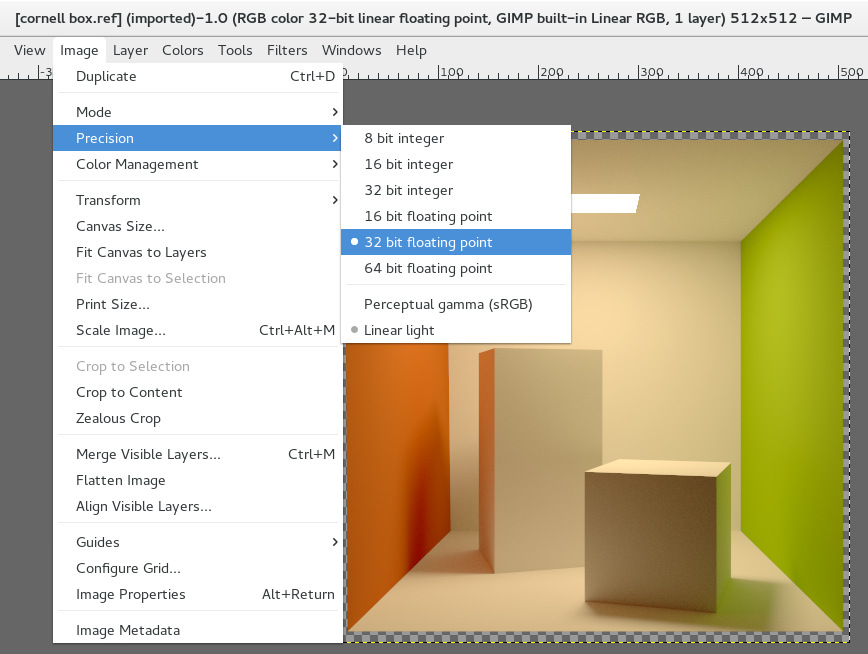
New features in the update include support for images with 16 and 32-bits-per-channel colour, basic support for OpenEXR files, GPU-accelerated image processing and rendering, and two new transform tools.
Now based on the GEGL image-processing library
Many of the features in the release arise from the ongoing port of the GEGL image-processing engine to GIMP .
Originally created in 2000 by developers at Rhythm & Hues, GEGL (GIMP E Graphical Library) was used in the studio’s VFX-focused Film GIMP image-editing software, since renamed CinePaint.
Work porting GEGL to GIMP itself began in 2007, with the library initially used to handle colour correction, filters, and flattened representations of stacked layers.
Support for 32-bits-per-channel floating-point colour and OpenEXRs
In the upcoming GIMP 2.10, GEGL usage is being expanded to “pretty much everything under the hood”, with 2.9.2 functioning as a technical preview.
Even so, that means a number of features professional artists have wanted for a long time, including support for 32-bits-per-channel floating-point colour when importing or exporting PNG, TIFF, PSD and FITS files.
The update also introduced “basic” support for the OpenEXR file format – GIMP doesn’t support layered OpenEXRs yet – and an on-canvas preview for many filters instead of the tiny existing preview window.
In general, performance looks likely to be better in GIMP 2.9.2 than the 2.8.x releases thanks to OpenCL-based GPU-accelerated rendering and image-processing, although this is still described as “experimental”.
New transform tools, improved Blend and Foreground Select tools
The update makes GIMP’s existing tools GEGL-based, and able to function in 32-bits-per-channel precision.
The Blend tool has been updated to make the colour gradients it creates editable, while the Foreground Select tool can now make subpixel selections in “complex cases such as stray hairs on textured backgrounds”.
In addition, there are a number of new tools, including two considered “mostly complete”: a Warp Transform tool designed to replace the old, and very limited, IWarp plugin; and a new Unified Transform tool.
Other experimental tools, including N-Point Deformation, a more advanced clone tool, and a new brush tool based on MyPaint‘s brush engine, can be enabled manually by users.
Improvements to painting, colour management and layer blending
Painting has also been improved, with brushes getting Hardness and Force sliders on top of the existing Opacity, Size, Aspect Ratio and Angle options; and the option to lock brush size to zoom.
As shown above, artists can also now flip or rotate the canvas while painting, rather than just the image itself.
In addition, the colour management plugin has been replaced with “completely new code”, finally enabling GIMP to handle cases when one image is pasted into another with a different colour space.
Layer handling has also been updated: the Overlay mode “is not identical to Soft Light any more”, while layer blending can now use LCH/LAB colour space as well as HSV.
And finally, support for metadata has been introduced with an “experimental” dialog to view data using the Exif, XMP and IPTC standards.
Better Wacom support, non-destructive image editing to come
The GIMP team has also posted news of its roadmap for future releases.
Although no timescale is given, GIMP 2.10 will complete GEGL support, while 3.0 will “restore rock-solid Wacom support on Windows and OS X”, and 3.2 will introduce non-destructive image editing.
Availability
Although the blog post announcing GIMP 2.9.2 says that binaries are available on GIMP’s Downloads page, at time of posting, only GIMP 2.8 was available – at least for Windows or Mac OS X.
Linux users may have more luck with the GIMP package included in their distros, and anyone who really needs to test the new features now can compile GIMP 2.9.2 from the source code.
Read more about the new features in GIMP 2.9.2 in the blog post announcing the release
New features in the update include support for images with 16 and 32-bits-per-channel colour, basic support for OpenEXR files, GPU-accelerated image processing and rendering, and two new transform tools.
Now based on the GEGL image-processing library
Many of the features in the release arise from the ongoing port of the GEGL image-processing engine to GIMP .
Originally created in 2000 by developers at Rhythm & Hues, GEGL (GIMP E Graphical Library) was used in the studio’s VFX-focused Film GIMP image-editing software, since renamed CinePaint.
Work porting GEGL to GIMP itself began in 2007, with the library initially used to handle colour correction, filters, and flattened representations of stacked layers.
Support for 32-bits-per-channel floating-point colour and OpenEXRs
In the upcoming GIMP 2.10, GEGL usage is being expanded to “pretty much everything under the hood”, with 2.9.2 functioning as a technical preview.
Even so, that means a number of features professional artists have wanted for a long time, including support for 32-bits-per-channel floating-point colour when importing or exporting PNG, TIFF, PSD and FITS files.
The update also introduced “basic” support for the OpenEXR file format – GIMP doesn’t support layered OpenEXRs yet – and an on-canvas preview for many filters instead of the tiny existing preview window.
In general, performance looks likely to be better in GIMP 2.9.2 than the 2.8.x releases thanks to OpenCL-based GPU-accelerated rendering and image-processing, although this is still described as “experimental”.
New transform tools, improved Blend and Foreground Select tools
The update makes GIMP’s existing tools GEGL-based, and able to function in 32-bits-per-channel precision.
The Blend tool has been updated to make the colour gradients it creates editable, while the Foreground Select tool can now make subpixel selections in “complex cases such as stray hairs on textured backgrounds”.
In addition, there are a number of new tools, including two considered “mostly complete”: a Warp Transform tool designed to replace the old, and very limited, IWarp plugin; and a new Unified Transform tool.
Other experimental tools, including N-Point Deformation, a more advanced clone tool, and a new brush tool based on MyPaint‘s brush engine, can be enabled manually by users.
Improvements to painting, colour management and layer blending
Painting has also been improved, with brushes getting Hardness and Force sliders on top of the existing Opacity, Size, Aspect Ratio and Angle options; and the option to lock brush size to zoom.
As shown above, artists can also now flip or rotate the canvas while painting, rather than just the image itself.
In addition, the colour management plugin has been replaced with “completely new code”, finally enabling GIMP to handle cases when one image is pasted into another with a different colour space.
Layer handling has also been updated: the Overlay mode “is not identical to Soft Light any more”, while layer blending can now use LCH/LAB colour space as well as HSV.
And finally, support for metadata has been introduced with an “experimental” dialog to view data using the Exif, XMP and IPTC standards.
Better Wacom support, non-destructive image editing to come
The GIMP team has also posted news of its roadmap for future releases.
Although no timescale is given, GIMP 2.10 will complete GEGL support, while 3.0 will “restore rock-solid Wacom support on Windows and OS X”, and 3.2 will introduce non-destructive image editing.
Availability
Although the blog post announcing GIMP 2.9.2 says that binaries are available on GIMP’s Downloads page, at time of posting, only GIMP 2.8 was available – at least for Windows or Mac OS X.
Linux users may have more luck with the GIMP package included in their distros, and anyone who really needs to test the new features now can compile GIMP 2.9.2 from the source code.
Read more about the new features in GIMP 2.9.2 in the blog post announcing the release
vineri, 25 septembrie 2015
Giveaway - HDR Projects 2
HDR projects 2 offers you new possibilities to influence the HDR process directly. You can choose between seven HDR algorithms and during HDR creation you can determine parameters such as smoothing, denoising, halo adjustment and many more. You can partially define single image areas by directly adjusting the weighting during HDR fusion. Even when working with single images you will achieve sensational results.
HDR projects 2 eliminates the typical peculiarities of HDR processing: Halos, ghost images, tonal value shifts, chromatic aberrations, color noise. If you know HDR, you know of these issues, but with HDR projects 2, even the finest structures remain visible and edges without halos stay razor sharp.
- HDR interpretation from a single image
- 7 different HDR algorithms
- Individual weighting for every luminance
- Selective luminance and HDR weighting with HDR Painter
- Integrated RAW processing for virtually every RAW format
- Very precise alignment, making your exposure bracketings razor sharp
- Fully automatic high-end ghosting correction with manual control for extreme situations
- 56 presets, sorted by theme, for quick and professional results
- 5 tone mapping algorithms for maximum freedom of image interpretation
- 52 high-end filters for creative finishing and ready to print images
- Interface for Adobe Lightroom and plugin for Adobe Photoshop/Photoshop Elements
Faster - more powerful - more reliable! A new generation of software for images with unrivalled dynamic and expressive power.
- More than just compensating light exposure problems
- More than just editing images
- More than just developing pictures
- More than just living with the inadequate standards of camera technology
HDR projects 2 is intended for professional photographers as well as for ambitious hobby photographers.
Download link available today: http://www.giveawayoftheday.com/hdr-projects-2/
HDR and photo editing software: http://www.hdrlabs.com/tools/links.html
HDR tutorials: http://www.hdrlabs.com/tutorials/index.html
Free Photo Editing Alternatives:
- Zoner Photo Free - free limited edition;
- Rawtherapee - free open source;
- Digikam - free open source;
- Photoscape - free;
- Photo-editing software, Lightroom alternatives - dedicated page on my blog.
miercuri, 16 septembrie 2015
Giveaway - Ashampoo Photo Commander 12 - photo manager and editor
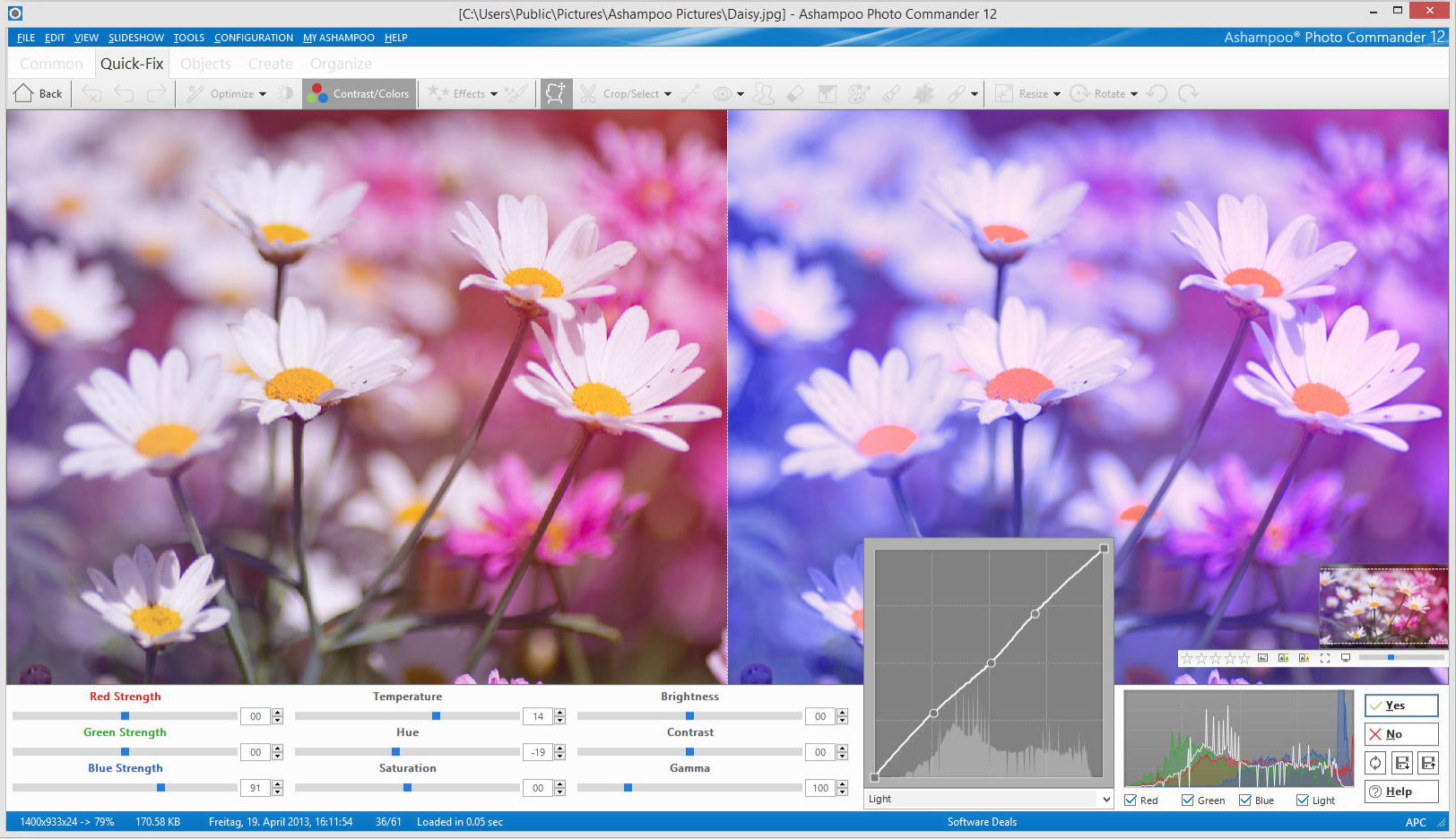
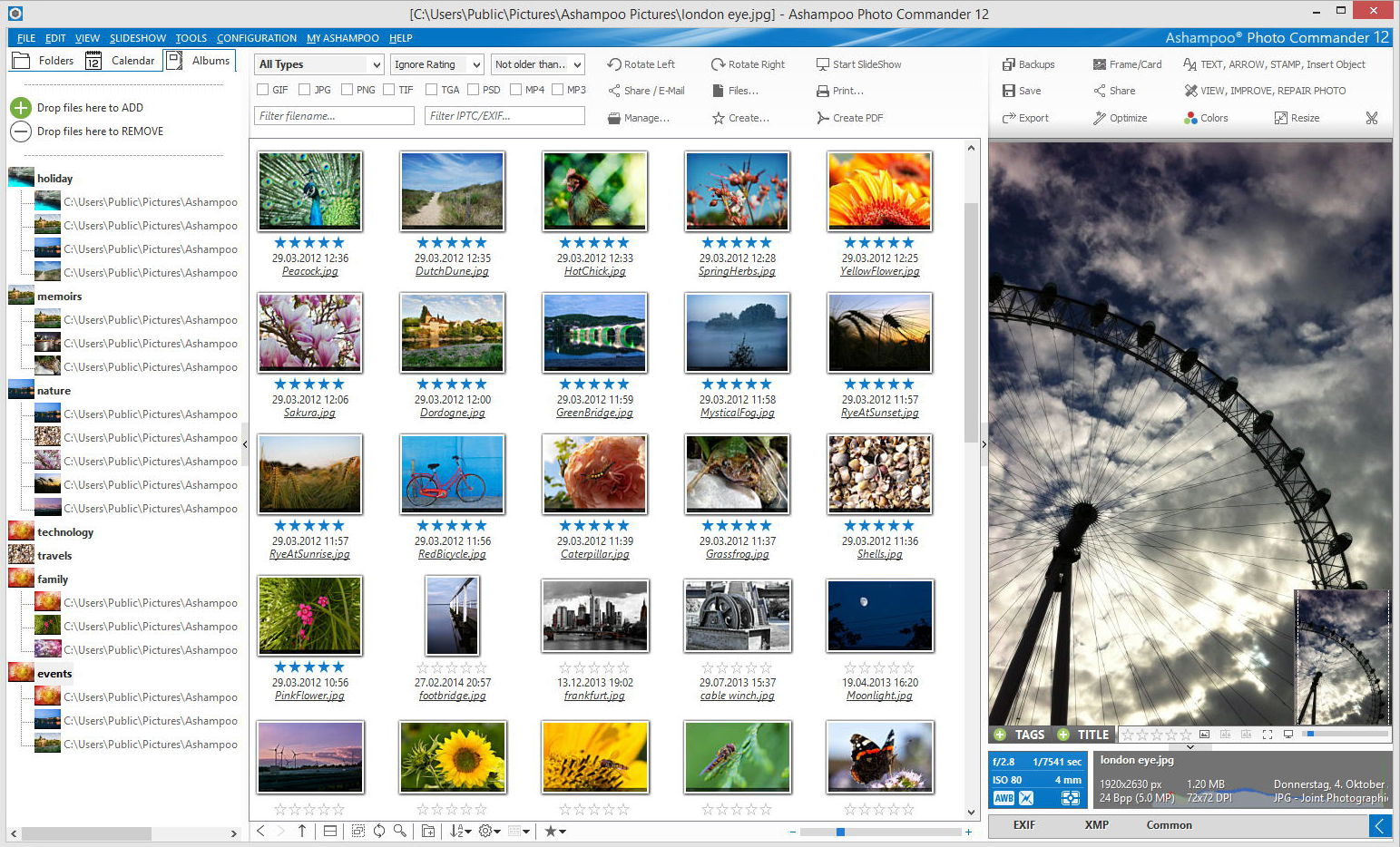
Ashampoo Photo Commander 12 provides maximum opportunities for
processing your photos. Easily open large photo collections and delete
destructive objects quickly. Customize the colours, contrast and make
your photo collection shine bright. This program will help you to
express your creativity and add professional effects to your photos. You
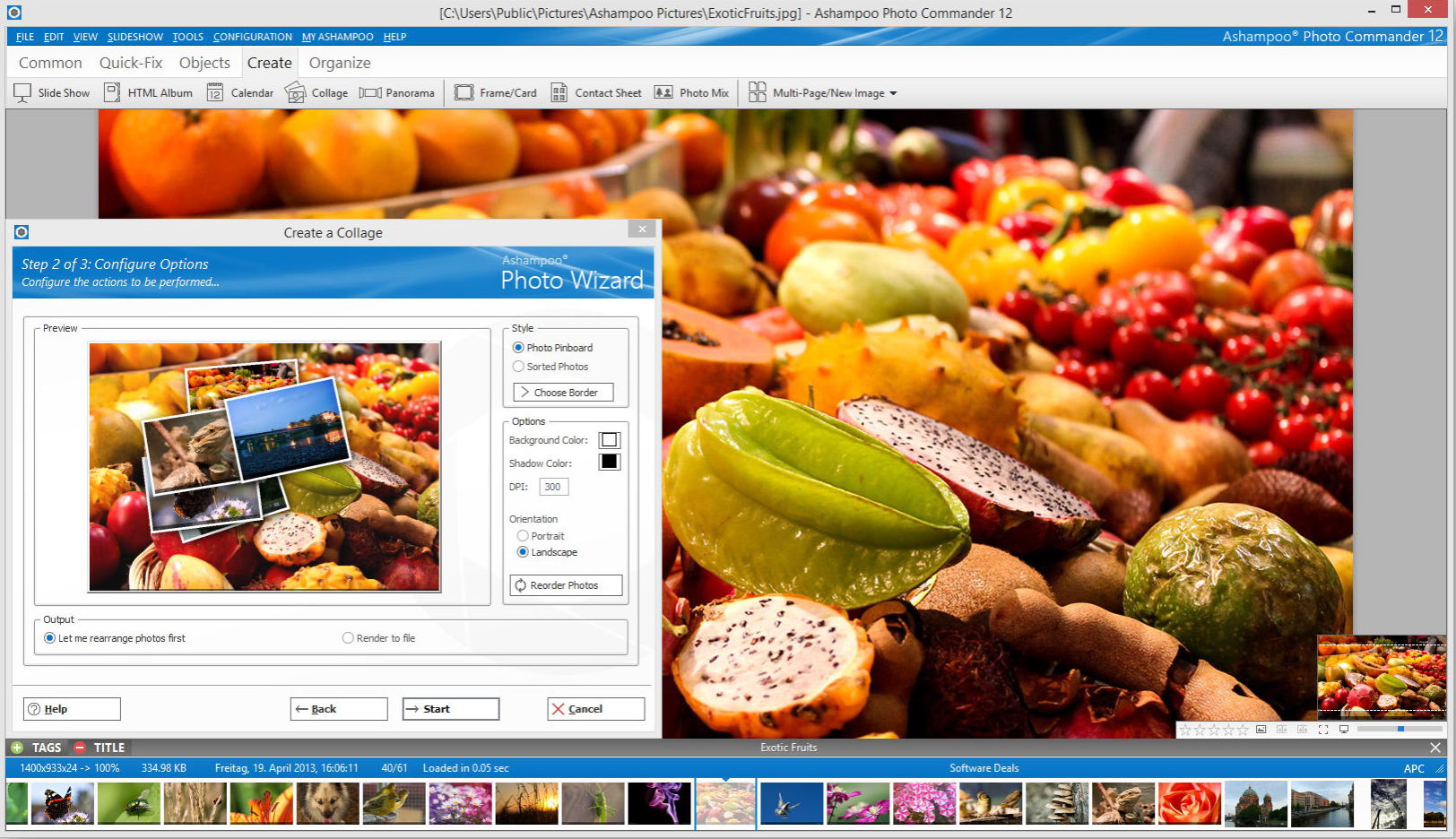
can also impress your friends and family with your own calendars,
collages and greeting cards.
Download.com review: http://download.cnet.com/Ashampoo-Photo-Commander/3000-12511_4-10109566.html
More details: https://www.ashampoo.com/en/usd/pde/1818/multimedia-software/photo-commander-12
Free Alternatives:
Key features:
- Easier to use;
- Smart photo imports;
- Faster image browsing with miniature views;
- Enhanced file manager with cloud support;
- New designs and gradients;
- Enhanced wizards;
- 1-Click object management and quick-access styles.
Download.com review: http://download.cnet.com/Ashampoo-Photo-Commander/3000-12511_4-10109566.html
More details: https://www.ashampoo.com/en/usd/pde/1818/multimedia-software/photo-commander-12
Free Alternatives:
- Zoner Photo Free - free limited edition - PRO vs. Free edition comparison;
- Rawtherapee - free open source;
- Digikam - free open source;
- Photoscape - free;
- Photo-editing software, Lightroom alternatives - dedicated page on my blog.
Abonați-vă la:
Postări (Atom)