sâmbătă, 15 martie 2014

Cyberlink PhotoDirector 4 - giveaway

Cyberlink PhotoDirector 4

Download.com giveaway - Cyberlink PhotoDirector 4

Cyberlink PhotoDirector 4 comes packed with a complete set of photo editing tools, so you can manually adjust the color, saturation, white balance, and more, but you'll also find that there are Preset options, so you can easily choose a theme, set it and share it - just like many of the mobile photo editing apps. If you are into landscape photography, the HDR effect is a nice feature that helps you create dramatic-looking HDR scenario from a single photo.
 
In order to get the freebie, you will need to follow these steps closely:
  1. Go to this page
  2. Enter in your name, email address, and this code - PHD4CNET. This is very important - you must enter this code in.
  3. Once you enter in the code, your license keys for both Mac and Windows version will be provided to you. Not only do you get a key for your Windows machine, you can install one for your Mac too, or give it to a friend.
  4. Once you go through the installation process, you will need to enter in the license key. Otherwise, you will not be able to access this software, so make a note of these license keys. You should also receive an email with the info, but just to be safe, I would screenshot it or save it.
There you have it. You now have a great piece of photo editing software that is easy and fun to use for free. The free giveaway promotion starts now and ends at 11:59pm PT on Sunday, March 16, 2014, or whenever we run out.

joi, 13 martie 2014

Partition with Aomei - giveaway

Aomei makes hard disk partitioning even easier by offering Partition Assistant Pro for free, exclusively for Download.com users.
Anyone with the right set of tools can partition a hard drive. Aomei Technology aims to make the process even easier by bringing you these tools absolutely free with its Partition Assistant Pro giveaway. From March 12, 2014, to March 19, 2014, you can get the popular professional disk-management utility at no cost, exclusively on Download.com.

Why partition your hard drive?

Partitioning tells your computer to treat different portions of your hard disk as separate drives. This makes creating backups faster and easier, as most data backup tools target entire disks. Keep essential files (like the OS) on one partition and back them up regularly while saving dispensable files on another. Create a separate boot partition and load it with diagnostic tools in case your main operating system fails. This can save you the scramble of finding a USB or CD to troubleshoot issues. Older brand-name computers come with recovery images saved in hidden partitions that may be outdated. Update them with your own image to get going faster in case of a meltdown. Lastly, if you're thinking of experimenting with other OSs (like Linux or SteamOS), you can section off portions of your drive without having to back up and format.

Aomei Partition Assistant Pro

One of the most highly rated tools among our editors and users, Aomei Partition Assistant Standard Edition is our go-to free disk-managing utility to resize/move, migrate OS, create, delete, format, align partition, and convert between file systems (NTFS to FAT32). Partition Assistant Pro gives you all the same tools as Partition Assistant Standard, plus additional functions such as converting between MBR and GPT, converting dynamic disk to basic, and dynamic disk/volume management.


Main Features
  • Windows to Go Creator installs Windows 8 to a removable Flash drive
  • Convert System disk between MBR and GPT styles
  • Migrate System to SSD, and support MBR and GPT disk
  • Create Windows PE bootable media without having to install AIK/WAIK
  • Completely support hard disk with 4096 bytes sector size
  • Fully compatible with Windows 8.1

How to get it

You can get Partition Assistant Pro for free (regularly $36) just by visiting this link between March 12, 2014, and March 19, 2014.
Alternatively, you can download the installer and activate with the license code AOPR-L79S3-VJVU6-9WX1H

marți, 11 martie 2014

Fotor Photo Editor

Fotor Photo Editor
Fotor Photo Editor comes loaded with tools for every essential editing need, plus tilt-shift, 13 unique 1-tap enhance options, over 60 effects/30 frames, RAW support, built-in sharing, and high-resolution saving.

Collage away! Pick from 60 different templates or customize one, and choose from 16 backgrounds. Upload up to 30 photos to mix and match. Finish off your masterpiece with the border color or pattern that catches your eye.

Fotor's state-of-the-art photo processing engine makes it easy to process high quality photos quickly. Adjust exposure, brightness, contrast, white balance, and saturation, sharpen/blur, vignette, highlights & shadows. "Scenes" offers 13 enhance options preconfigured for various photo capture conditions.

Effects & Borders stretches your creativity further with Fotor's huge palette of effects and borders.

Batch Processing lets you make short work of large numbers of photos. Apply effects and frames with just one click, instead of having to do it to each photo!
What's new in this version:
  • Powerful Batch Processing - Save your time to quickly edit multiple photos
  • New Useful Functions - Highlights, shadow and curves adjustments
  • More Better Choices - More filters, special effects, borders, patterns and freestyle collage backgrounds
  • Improved Features - Added EXIF information when sharing photo to Flickr
  • Better User Interface - Fotor Photo Editor is more fun and much easier to use
Download link: http://download.cnet.com/Fotor/3000-2192_4-75901678.html
More details: http://www.fotor.com/

joi, 6 martie 2014

Krita 2.8 released - digital painting software

Krita 2.8
Krita, the ultimate weapon in the armoury of a Linux-based digital painter's, just got updated. New tools make it more interesting for creating game art, and full Windows support is a bit of a game changer.

What's new


For Krita, the last six months of work equal to an astonishing amount of new features, such as:
  • Wrap Around mode to create seamless tiled textures from your current artwork ((use theW key, works in OpenGL mode only);
  • Clone Array tool to create isometric tiles.
  • New high-quality scaling mode for the OpenGL-based canvas.
  • Picking a layer by pressing R and clicking on a feature from that layer.
  • Configurable transparency visualization.
  • New dockable dialog to manage color swatches.
  • Easy expansion of canvas (deliberately not like in MyPaint, by users' request).
  • Composition guides in the Crop tool.
Some of these features were requested and actively tested in production by Paul Geraskin who extensively used Krita to create art for SuperCity game played by over 4 mln of people.
Krita has an experimental implementation of a G'MIC plugin now as well, and that alone increases the amount of available effects by order of magnitude.
Additionally, during Google Summer of Code 2013 one of the students applied tons of fixes to existing filters (both UI and algorithms), added alpha channel to the Curves filter, improved the HSV filter and the Dodge/Burn filters, and implemented a whole new Color Balance filter.


You can find plenty more details about new features in official illustrated release notes (PDF).

Tablets support

Support for graphic tablets got a huge boost in Krita 2.8. Dmitry Kazakov wrote his own code to support Wacom and uc­logic-based tablets instead of using buggy API from Qt.
As the result, these tablets just work on both Linux and Windows now. Various graphic tablets from Wacom and Huion have been tested, as well as built-in digitizers in laptops like the Lenovo Helix.

Krita on Windows

This new release makes Krita a fully supported Windows application, for the first time in two years of working on the port. 
Additionally, Krita Sketch (new UI finetuned for tablets) that was a Windows-only feature is now available on Linux as well. At the same time, on Windows, the hybrid of classical Krita and Krita Sketch called Krita Gemini will be available through Valve's Steam.

Downloading

Windows version of Krita is available as an installer from kritastudio.org. Linux users are typically suggested to use repositories, but you can also download source code archive and build it.
Mac builds of Krita are still a work in progress. Making the app available on an operating system other than Linux involves doing extra work like stripping KDE libraries to a bare minimum like widgets, archive handling, plugin loading etc. Things will be easier when Krita starts using KDE frameworks which is expected to be a v3.0 feature (and there will be a v2.9 first)
Since last year KO GMBh provides commercial support for Krita which a few studios already use. The money is used on full-time development. If you feel like supporting development of Krita, you also have various options like donating or buying training DVDs.

Future plans

The Krita team is currently discussing what features they will be focusing on in the next development cycle. As of now, two improvements are likely to make it to v2.9.
First of all, there have been some ongoing work by Boudewijn Rempt on multidocument interface support (MVC branch in Git). The idea is to create a flexible view model that supports image strips, a flipbook, tabs, and “classical” MDI windows. Boudewijn kindly shared a screenshot demonstrating MDI view mode:
Side by side view in Krita
Secondly, a group of students from Université de Toulouse led by Kévin Ottens is already working on support for brushpacks. This idea to create a simple file format for bundling and sharing sets of brushes betweens users and apps emerged last year during LGM in a discussion between developers of Krita, MyPaint, and GIMP (see our detailed coverage).
Work on the implementation of a animation, that started as another GSoC project, is still in progress, but it's going to take some some time to complete it. Meanwhile simplistic layer-based animation is being added to Krita by another contributor.
Article by:  ALEXANDRE PROKOUDINE

Download link (free) : http://krita.org/download 
More details:  http://krita.org/item/220-krita-2-8-0-released
Alternative to - Corel-Painter (commercial software)

miercuri, 5 martie 2014

Giveaway - PDF to X

PDF to X
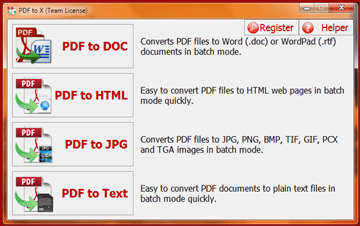
PDF to X is used to convert PDF documents to Word (.doc)/WordPad (.rtf) documents, HTML web pages, JPG/PNG/BMP/TIF/GIF/PCX/TGA images and plain text files in batch mode. It works without Adobe Acrobat or Adobe Reader, and has friendly interface, small size, accurate and fast conversion ability.
It retains the original text, images, format and layout of PDF documents in various output files as much as possible. Also, PDF to X supports converting the password-protected PDF files and specifying page range to convert (for DOC, RTF, JPG, GIF, PNG, BMP, TIF, PCX, TGA files), and supports converting the PDF files that have some restrictions, such as Content Copying, Saving as Text, Page Extraction, Printing are not allowed (for HTML and TXT files).

Download link available for today: http://www.giveawayoftheday.com/pdf-to-x-4-0/

Free Alternative:
  • UniPDF -  PDF to Word Converter (doc/rtf), images (JPG/PNG/BMP/TIF/GIF/PCX/TGA), HTML, or plain text files (txt) in batch mode, with all document texts, layouts, images and formatting ideally preserved.
UniPDF
 

marți, 4 martie 2014

Giveaway - PT Photo Editor

PT Photo Edito
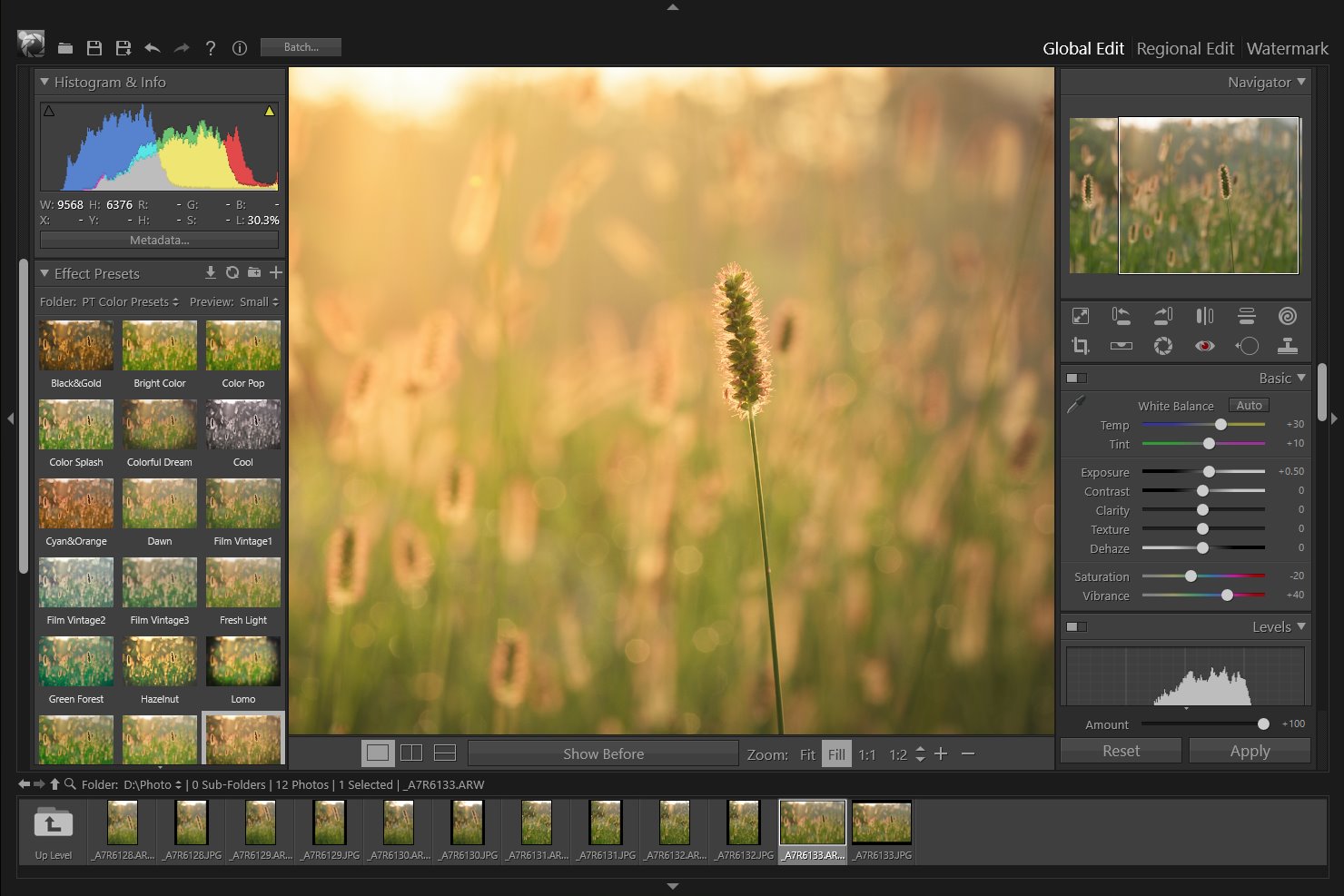
PT Photo Editor is an efficient application designed to solve all common photo problems, bring your images to life and make them look their best. You can easily correct color cast and exposure problem, remove imperfections, and turn every photo into a work of art with your creativity.

Main functions:

  • One-click color correction;
  • Solve all common exposure problems;
  • Efficient photo editing tools to remove red eyes, blemishes, unwanted distractions and other imperfections;
  • Fast Detail improvement with sharpening and noise reduction tools;
  • Pro-Quality Color Enhancement, stylize your photos;
  • Creative regional editing;
  • Convenient image browsing;
  • Lightweight.
Download link available for today: http://www.giveawayoftheday.com/pt-photo-editor-1-0-1/

Free Alternatives: 
  • Zoner Free - photomanager (free limited edition) | OS - Windows
Zoner Photo Studio
  • Picasa (Google) - | OS - Windows, MacOS
 Picasa
 Ashampoo Photo Commander Free
  • Fotor - photomanager and editor | OS - all

vineri, 28 februarie 2014

Giveaway - Tipard Blu-ray to MP4 Ripper

Tipard Blu-ray to MP4 Ripper
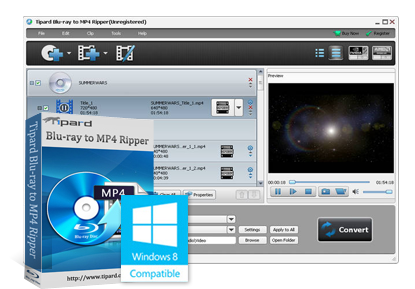
Tipard Blu-ray to MP4 Ripper provides one-step solution for users to rip Blu-ray/DVD and convert videos to MP4 formats. It supports Blu-ray Disc/folder/iso files (an internal or external Blu-ray drive is needed), DVD Disc, folder, IFO files and various video/audio formats (TS, MOV, WMV, MXF, MKV, AVI, etc). Besides, except MP4, it also supports many other output formats, like VOB, TS, MKV, WMV, M4V, etc). Moreover, these output profiles including video/audio codec, bitrate, resolution and so forth can be set as needed to make sure the super-high quality of the target files.
Tipard Blu-ray to MP4 Ripper is designed to contain portable devices that support MP4 format, including the iPhone 5S/5C, iPad Air, Apple TV/2/3, Samsung Galaxy Note 3, Samsung Galaxy Tab/S series. The editing function to trim, crop, watermark, rename, merge, preview and snapshot, etc helps users more to make video at random. The adopted CUDA and AMD acceleration technology make the converting much faster.
Note:
only for Giveaway of the Day users, Tipard provides a 50% off coupon: TIPADOR (Feb 28th – Mar 17th) and users can purchase any Tipard software products at 50% off discount.

Download link available for today: http://www.giveawayoftheday.com/tipard-blu-ray-to-mp4-ripper/