Se afișează postările cu eticheta free. Afișați toate postările

marți, 6 septembrie 2016

Giveaway: AOMEI Partition Assistant Pro 6

AOMEI Partition Assistant Pro
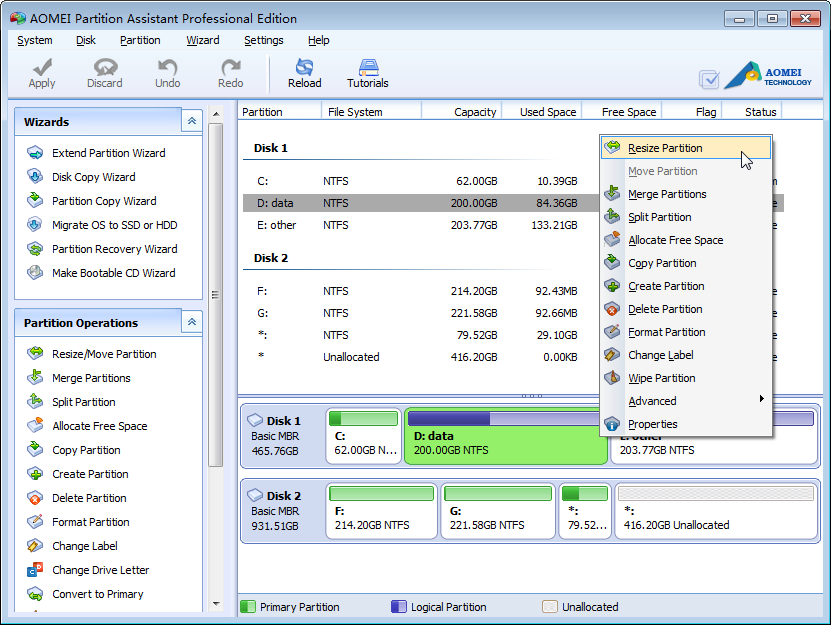
AOMEI Partition Assistant Pro is a complete, simple, and reliable partition software and disk manager for Windows PCs and laptops. It brings a set of powerful tools to maximize disk space use and improve overall performance of your computer.
 Key features:
  • Change Partition Size: extend, shrink, merge, split partitions, and allocate free space from one partition to another; 
  • Easy Wizards: Extend Partition Wizard, Partition Copy Wizard, Disk Copy Wizard, and Partition Recovery Wizard; 
  • System Migration: migrate your OS from an old HDD to a new SSD or HDD, supporting MBR and GPT disks; 
  • Safe Converters: convert MBR to GPT disk, convert dynamic disk to basic, convert NTFS to FAT32, and convert primary to logical partition; 
  • Windows To Go Creator: build a portable and fully functional Windows 8/8.1 system on a USB flash drive; 
  • Make Bootable Disc: create a Windows PE bootable CD/DVD or USB flash drive without installing Windows AIK.
AOMEI Partition Assistant Pro


Free alternatives:
Boot disk (rescue disk) free alternatives:

miercuri, 13 iulie 2016

Giveaway: UnHackMe 8 security software - antivirus antimalware free alternatives

UnHackMe 8
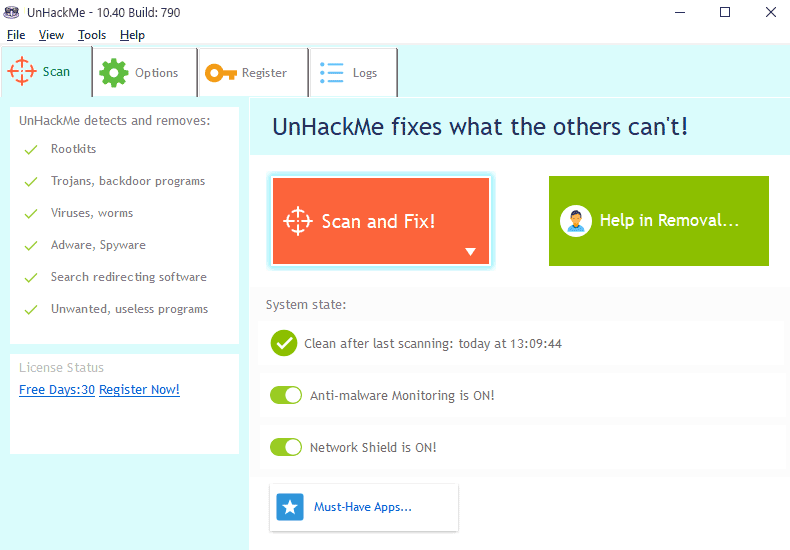
UnHackMe was initially created as anti-rootkit software, but currently it has more features: scanning for "unwanted programs", checking for junk files, created by PUPs, scanning of Windows startup, services, drivers, testing Windows shortcuts, scanning for rootkits, testing the host files and DNS settings, testing all used files on Virustotal. The program uses its own database to detect what is better to remove from your PC. The important advantage of UnHackMe is that you can find an unknown malware by inspecting UnHackMe information.

UnHackMe eliminates various types of malicious software:

  • Redirecting;
  • Popup ads;
  • Potentially unwanted programs (PUP);
  • Unwanted processes;
  • Slow browsing;
  • Rootkits;
  • Trojans;
  • Spyware;
  • Keyloggers.
Download link available todayhttps://www.giveawayoftheday.com/unhackme-8-12/

Download.com review:  http://download.cnet.com/UnHackMe/3000-2239_4-68786.html

Antivirus free alternatives:

Antimalware free alternative: Malwarebytes antimalware
MalwareBytes Download.com review****: http://download.cnet.com/Malwarebytes-Anti-Malware-Free/3000-8022_4-10804572.html

AVtest comparison: https://www.av-test.org/en/antivirus/

vineri, 4 decembrie 2015

New features in Krita - open source digital painting software

Krita
Krita Desktop is a free an open source painting application.
The next version of Krita will be 3.0. There is a lot of development going on fixing issues with shortcuts, issues with the opengl canvas, issues with icons… And making packages. Ubuntu Linux users can already use the Krita 3.0 Unstable packages in the Lime repository.

A small recap of the workflow improvements brought to Krita digital painting software this year.


Krita Animation and Instant Preview details: https://krita.org/item/krita-2-9-animation-edition-beta-released/

Free download link - version 2.9.9https://krita.org/download/krita-desktop/

luni, 30 noiembrie 2015

GIMP 2.9 open source free image editing

GIMP
The GIMP team has announced GIMP 2.9.2, the first major update to the open-source image-editing software in over three years, and one that brings significant improvements for professional artists.
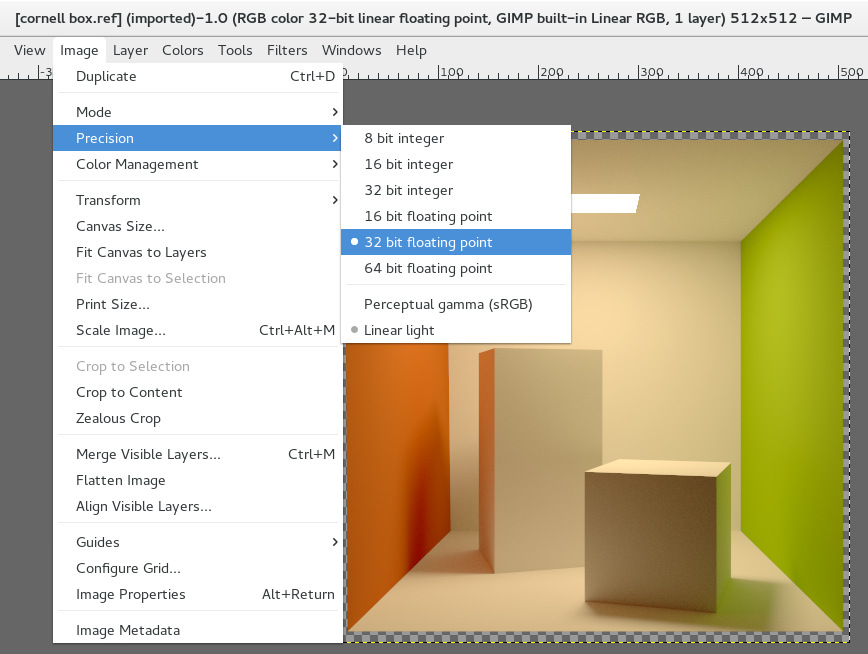
New features in the update include support for images with 16 and 32-bits-per-channel colour, basic support for OpenEXR files, GPU-accelerated image processing and rendering, and two new transform tools.
Now based on the GEGL image-processing library
Many of the features in the release arise from the ongoing port of the GEGL image-processing engine to GIMP .
Originally created in 2000 by developers at Rhythm & Hues, GEGL (GIMP E Graphical Library) was used in the studio’s VFX-focused Film GIMP image-editing software, since renamed CinePaint.
Work porting GEGL to GIMP itself began in 2007, with the library initially used to handle colour correction, filters, and flattened representations of stacked layers.
Support for 32-bits-per-channel floating-point colour and OpenEXRs

Gimp 2.9.2 32bit per channel
In the upcoming GIMP 2.10, GEGL usage is being expanded to “pretty much everything under the hood”, with 2.9.2 functioning as a technical preview.
Even so, that means a number of features professional artists have wanted for a long time, including support for 32-bits-per-channel floating-point colour when importing or exporting PNG, TIFF, PSD and FITS files.
The update also introduced “basic” support for the OpenEXR file format – GIMP doesn’t support layered OpenEXRs yet – and an on-canvas preview for many filters instead of the tiny existing preview window.
In general, performance looks likely to be better in GIMP 2.9.2 than the 2.8.x releases thanks to OpenCL-based GPU-accelerated rendering and image-processing, although this is still described as “experimental”.
New transform tools, improved Blend and Foreground Select tools
The update makes GIMP’s existing tools GEGL-based, and able to function in 32-bits-per-channel precision.
The Blend tool has been updated to make the colour gradients it creates editable, while the Foreground Select tool can now make subpixel selections in “complex cases such as stray hairs on textured backgrounds”.
In addition, there are a number of new tools, including two considered “mostly complete”: a Warp Transform tool designed to replace the old, and very limited, IWarp plugin; and a new Unified Transform tool.
Other experimental tools, including N-Point Deformation, a more advanced clone tool, and a new brush tool based on MyPaint‘s brush engine, can be enabled manually by users.
Improvements to painting, colour management and layer blending
Painting has also been improved, with brushes getting Hardness and Force sliders on top of the existing Opacity, Size, Aspect Ratio and Angle options; and the option to lock brush size to zoom.
As shown above, artists can also now flip or rotate the canvas while painting, rather than just the image itself.
In addition, the colour management plugin has been replaced with “completely new code”, finally enabling GIMP to handle cases when one image is pasted into another with a different colour space.
Layer handling has also been updated: the Overlay mode “is not identical to Soft Light any more”, while layer blending can now use LCH/LAB colour space as well as HSV.
And finally, support for metadata has been introduced with an “experimental” dialog to view data using the Exif, XMP and IPTC standards.
Better Wacom support, non-destructive image editing to come
The GIMP team has also posted news of its roadmap for future releases.
Although no timescale is given, GIMP 2.10 will complete GEGL support, while 3.0 will “restore rock-solid Wacom support on Windows and OS X”, and 3.2 will introduce non-destructive image editing.
Availability
Although the blog post announcing GIMP 2.9.2 says that binaries are available on GIMP’s Downloads page, at time of posting, only GIMP 2.8 was available – at least for Windows or Mac OS X.
Linux users may have more luck with the GIMP package included in their distros, and anyone who really needs to test the new features now can compile GIMP 2.9.2 from the source code.
Read more about the new features in GIMP 2.9.2 in the blog post announcing the release
duminică, 2 august 2015

Paint.net 4.0.6

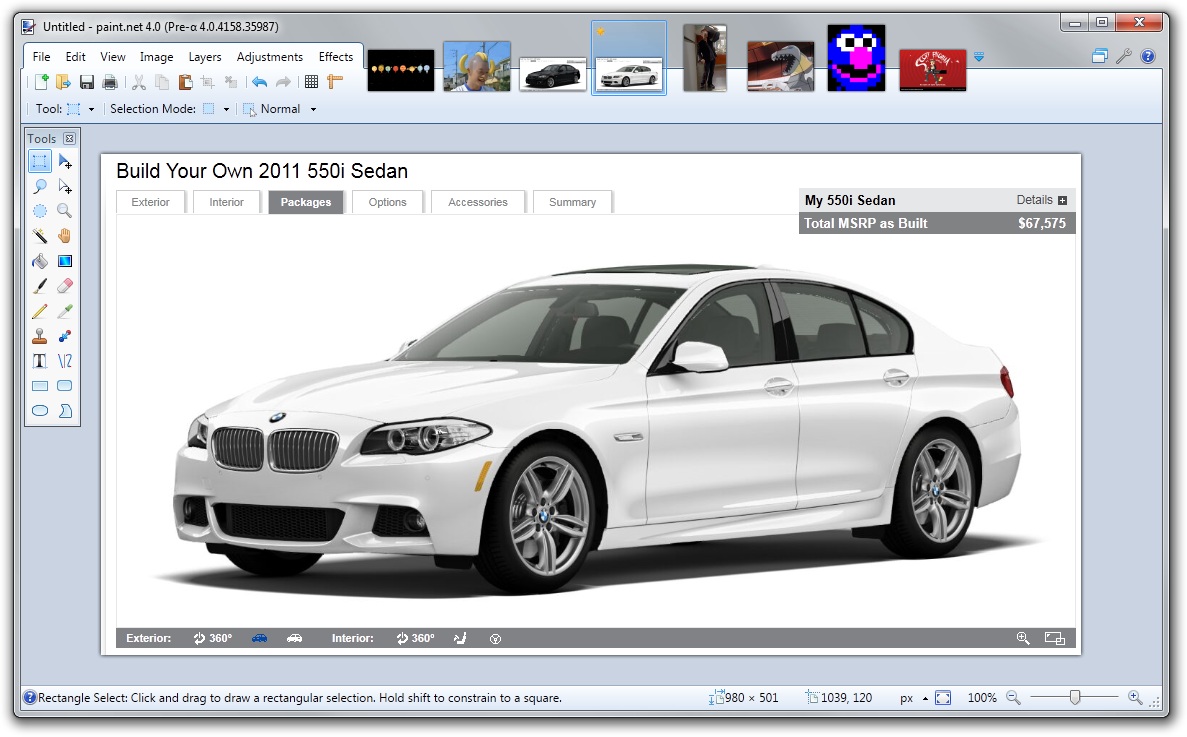
Paint.NET is a freeware photo editing and raster graphics software for Windows with support for layers, blending, transparency and plugins. It is a very good free alternative to Photoshop.

New features and  bug fixes:
  • New: You can now create and install custom shapes for the Shapes tool.
  • New: Updated to work better with Windows 10.
  • New: Increased the maximum brush size to 2000.
  • New: IndirectUI-based effect plugins can now provide help text, accessible via the question mark button.
  • New: Effect plugins may now access the current palette via IPalettesService.
  • Improved: Reduced memory usage of brush tools when using large brush sizes.
  • Fixed: Holding shift to constrain the angle of the roll control (Layers -> Rotate/Zoom) wasn’t working correctly.
  • Fixed: Various shapes (hexagon, pentagon, triangle, etc.) are now symmetric when holding the shift key.
  • Fixed: Multiple high-dpi blemishes in the main window and many dialog boxes (Settings, Save Configuration, all effect dialogs, etc.)
  • Fixed: Various minor/rare crashes.
Download link: http://www.getpaint.net/download.html#download
Requires Windows 7 SP1 or newer.

PaintNet review: download.cnet.com/Paint-NET

marți, 12 mai 2015

New Krita Kickstarter campaign - open source digital painting

Krita - open source digital painting

"Krita: free paint app - let's make it faster than Photoshop!" - Kickstarter campaign.

The second Kickstarter campaign for Krita development is doing well (16.000€ and 21 days to go).

Primary goals:
  • Make Krita really fast on big canvases with big brushes
  • Make Krita an awesome 2D animation tool

Kickstarter campaign link and more details: https://www.kickstarter.com/projects/krita/krita-free-paint-app-lets-make-it-faster-than-phot

Krita - brush engine - digital painting
Krita is a free raster graphics editor, designed to be a digital painting application. It has been influenced to some extent by software like Corel Painter. Krita packs with some key features different than most of its kind, including the ability to work with both bitmap and vector illustration.

More details about the previous release (from the first Kickstarter campaign):
 http://open-source-spot.blogspot.ro/2015/02/krita-29-open-source-digital-painting.html

Download link for Krita (Windows, Linux, MacOS): https://krita.org/download/krita-desktop/


Meet the Krita team (2014): Steven, Stuart, Lukas, Wolthera, Timothee, Boud, Sven, Leinir and Dmitry.

vineri, 3 aprilie 2015

Free pattern making software Valentina 0.3 released

Free pattern making software Valentina 0.3
Valentina is an open source pattern drafting software tool, designed to be the foundation of a new stack of open source tools to remake the garment industry.
Small-batch and custom-sized clothing manufacturing is essential to create a sustainable future, preserve small- to medium-sized textile spinning and weaving manufacturers, enable independent and small designers and manufacturers to scale up to make a decent living, rebuild local garment districts, and reduce or eliminate slave labor.

Download link: http://valentinaproject.bitbucket.org/

miercuri, 1 aprilie 2015

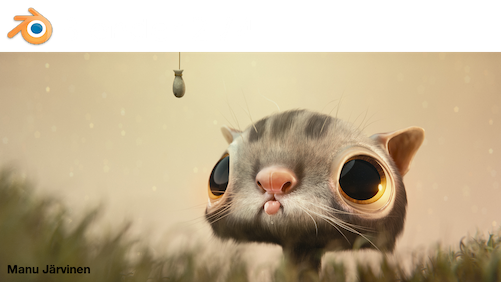
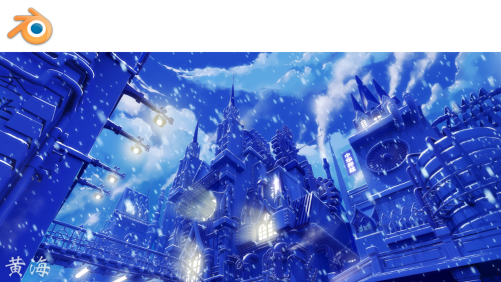
Blender 2.74 - open source 3D modeling, animation and rendering software

The Blender Foundation just released Blender 2.74 - http://www.blender.org/download/

viewport compositing features in Blender
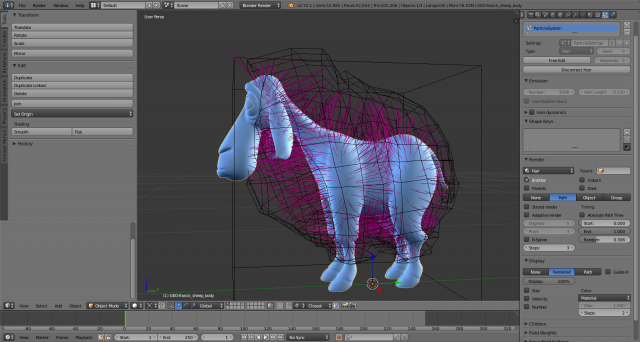
The new viewport compositing features in Blender 2.74 add ambient occlusion and depth of field controls to Blender’s viewport, much as Viewport 2.0 did for Maya. The release also improves Blender’s hair dynamics.
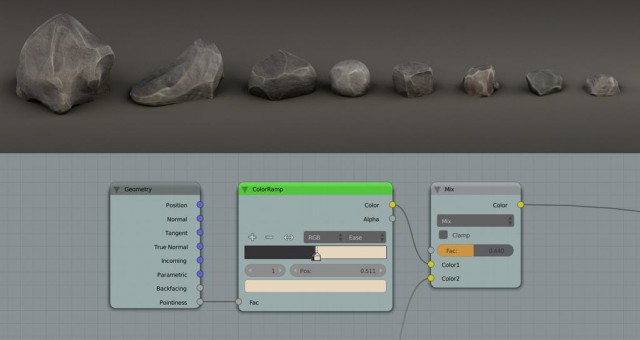
  • Cycles got several precision, noise, speed, memory improvements, new Pointiness attribute.
  • Viewport has new cool compositing features, outliner now manages orphan datablocks better.
  • Modeling now allows custom normals, and transferring data layers between meshes!
  • Massive improvements to hair dynamics and editing tools: a big step forward with more to come…
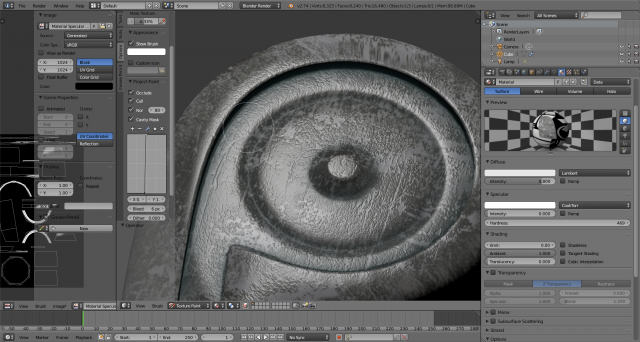
  • A new tool “Cavity Mask” was added to  sculpting painting, along with other improvements.
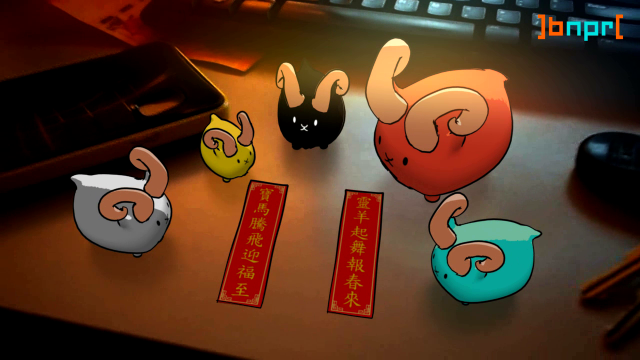
  • Great memory consumption optimization in Freestyle NPR stroke rendering.
  • Grease pencil and Game engine improvements, and more…
2.74-cycles_pointiness

Cycles Render

Several improvements for BVH like making it watertight, solving several precision issues and reducing noise
Optimizations: black world backgrounds are now removed from the shader graph, resulting in great speed improvements, many great memory optimizations
Nodes: new Pointiness attribute for the Geometry node, control texture space of one object by another.


2.74-Viewport_FX

User Interface

New Viewport Compositing brings Ambient Occlusion and Depth of Field right into the Viewport!
View-depth can now be picked using an Eyedropper
Outliner: orphaned Datablocks Mode was added for datablock management, now allows deleting of entire object hierachies, drag & drop objects to groups.
The Node Editor can now show text-blocks in frames
Customizable camera safe areas

2.74-custom_normals

Modeling

Support for Custom Normals was added, and transferring data layers between meshes is now possible thanks to a new Mesh Data Transfer operator and modifier.
Tools:
  • UV handling for Edge/ Vertex Slide was improved
  • new inverse-square blending for proportional-edit-mode
  • “Fit Camera View” now works for orthographic cameras as well
  • new “Split Concave Faces” tool to ensure a convex geometry was added
2.74-shape_cut_AFTER

Particles

Hair dynamics and editing tools were massively improved:
  • Support for hair collision with meshes
  • Simulation now happens using volumetric calculations for more realistic results
  • Strand bending uses a more realistic approach
  • Controlling of child hair shapes using curve widgets
  • New “Spiral” kink mode to generate spirals at hair ends
  • Toggle buttons for render and viewport visibility were added to the particle settings in the Properties Editor
2.74-cavity

Sculpting/Painting

Brushes/Strokes:
  • Improvements to rake and random mapping
  • Line strokes now support constrains to 45 degree increments
Texture Painting:
  • Support for dithering for painting on byte images
  • A new tool “Cavity Mask” was added that creates masks based on mesh cavities or hills
2.74-Freestyle_BNPR_NY2015

Freestyle Non-photorealistic Rendering

A great memory consumption optimization in stroke rendering was done. 2.74-anim

Animation

Grease Pencil:
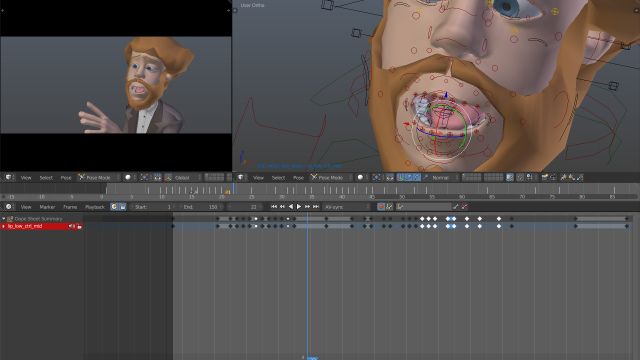
  • New Editing tools like copy & paste strokes, duplicating active layer, …
  • Enable eraser on the fly while drawing with “Continuous Drawing”
  • Various UI tweaks such as color swatches for Stroke and Fill colors
  • Grease Pencil data layers are now shown in the Outliner
Other:
  • Improvements to the action management to reduce the cases where unused actions are deleted
  • Pasting keyframes can now be done flipped
  • Using a new “Follow” option, the animation editors can now follow the time indicator
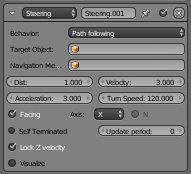
2.74-Steering

Game Engine

Physics:
  • The first contact point of colliding can now be accessed from Python
  • Usability improvements
New option “Lock Z Velocity” to avoid micro-jumping

Add-ons

  • A new Auto Tile Size Add-on helps setting up the fastest tile size for Cycles rendering
  • Import images as planes now works for Cycles as well
  • POV-Ray Renderer now supports volumetric rendering
  • FBX and OBJ now support custom normals import
  • New Python API functions

More Features

  • .blend Files & Libraries: generation and saving of previews for materials, textures, lamps, world and images datablocks.
  • Background images can now be rotated and flipped.
  • Compositing: Plane Track Deform, Multilayer EXR nodes improved; memory usage optimization.
  • Sequencer: Slip tool, Setting proxies improved; preview individual strips (feature back from Blender 2.4x)
  • Added gamma node support for Blender Internal
  • Added MotionTracking operator to filter tracks based on how smooth their motion is
  • Many other small Improvements

Feature Videos

For a visual demonstration of some of the new features in this release, check out the feature videos created during the development of this release.

Bug Fixes

In addition to the new features, hundreds of bugs that existed in previous releases have been fixed.

luni, 30 martie 2015

Synfig Studio 1.0 - open source 2d animation - Release Candidate #3

Synfig Studio - 2d animation
Synfig Studio is a free and open source 2D vector graphics and timeline-based computer animation program.
Synfig is getting closer to final release for version 1.

Some specs for the new version:
  • Single-WIndow and Gtk3 UI
  • Group transformations widget
  • Bones / Cutout tools
  • Bone distortion
  • Sound layer
  • Bones
  • Frame-by-frame animation (bitmap)
  • UI improvement
  • Rendering speed optimizationSynfig Studio - 2d animation
  • SFG Format
  • Sound support
  • Video import
  • Vector drawing tools
  • Scripting (python) (minimal support ready : scripts can be called from an entry menu)
  • SWF export 

Download link Synfig Studio 1.0 stable release: http://www.synfig.org/cms/en/download/

 If you want to use Inkscape for vector graphics and then export to Synfig you need SIF exporter extension.

Update 28 apr. - Synfig Studio 1.0 is released


vineri, 27 martie 2015

Musescore - open source scorewriter

Musescore - open source sheet music
MuseScore is a scorewriter for Windows, OS X, and Linux. It is released as free and open source software under the GNU General Public License.
It has a feature set comparable to Finale and Sibelius, supporting a wide variety of file formats and input methods.

Download link: http://musescore.org/en/download

luni, 23 martie 2015

Apowersoft Phone Manager - Freely transfer and back up data between your PC and phone - iOS and Android

Apowersoft Phone Manager
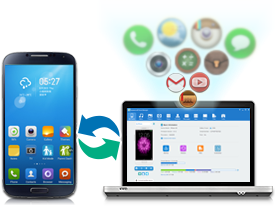
Apowersoft Phone Manager, one of the best mobile management software available on the
market right now, is fully compatible with the two dominant smartphone operating systems – iOS
and Android. It allows you to manage, transfer, view, restore, backup mobile or tablet files
including messages, contacts, apps, bookmarks, call logs, wallpapers, songs, videos, etc easily
on PC.
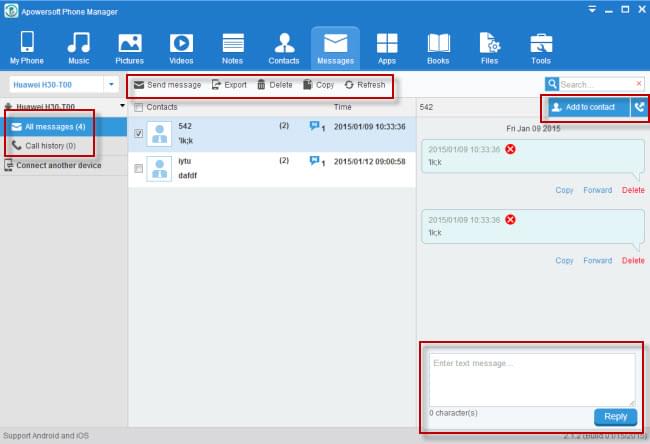
Apowersoft Phone Manager
  • Auto-recognize the device with all information
  • Transfer all files from phone devices to PC and vice versa
  • Work perfectly with devices based on iOS and Android systems
  • Manage photos, music, videos, SMS, contacts and other files
  • Backup all kinds of data from your devices to PC
  • Restore mobile files from backups
  • Take phone screenshots with just one click on PC
  • Display the screens of phone in different modes
Download link: http://download.cnet.com/Apowersoft-Phone-Manager/3000-18511_4-76253489.html

More details: http://www.apowersoft.com/phone-manager

Download.com review (#1 in Data Transfer & Sync Software):  http://download.cnet.com/Apowersoft-Phone-Manager/3000-18511_4-76253489.html?tag=rb_content;main

marți, 10 martie 2015

Auslogics Disk Defrag - Defragmentation free tool for Windows

Auslogics Disk Defrag
Disk Defrag will speed up your computer by optimizing file system. It can defragment files, consolidate free space and move system files to the faster part of the disk. With Disk Defrag you will get the maximum out of your hard drive performance. It is supplied with a powerful engine and smart algorithms which allow Disk Defrag to run much faster than similar tools. And with its comprehensive reports you will always be aware of what have been done. Disk Defrag features fast and safe defragmentation of the disk drives, optimization of clusters structure and file system for even better disk performance.

Download link:  http://download.cnet.com/Auslogics-Disk-Defrag/3000-2094_4-10567503.html

Other free options:

miercuri, 4 februarie 2015

Download 3D fractal art software Substance for free

3D fractal art software Substance
Stephane Marty has made Substance (organic and 3D fractal software) and Emulsion (photorealistic rendering) available to download free.

Create organic 3D forms quickly and intuitively

Substance is an intuitive tool for generating 3D fractals and organic forms.
You can use a ‘fractal microscope’ to navigate 2D fractals and isolate sections and convert them into 3D forms.


The resulting geometry can be exported in OBJ format, using a built-in mesh-decimation algorithm; or rendered using Substance’s P.U.R.E. unbiased rendering engine. There’s even support for augmented reality.
3D fractal art software Substance

The second application, Emulsion, is a progressive real-time physically based renderer. It works in CPU-based, GPU-based and hybrid modes, and supports multi-core and Hyper-Threaded systems.
The software includes a basic materials editor and camera settings, and supports tone mapping.
It imports 3DS, OBJ, DAE, DXF, PLY, STL and RAW files and exports HDR and EXR files – and again, has a built-in augmented reality option.


System requirements and availability
Both Substance and Emulsion are compatible with Windows XP and above, although for Emulsion, you’ll need to be running a 64-bit OS. Emulsion’s GPU rendering mode supports both Nvidia and AMD cards.
Both applications are free downloads and are provided without support or documentation: note that the inline help no longer works, since NeuroSystems’ servers have now been shut down.
Download Substance from Stephane Marty’s website
Download Emulsion from Stephane Marty’s website

joi, 8 ianuarie 2015

Blender 2.73 - new version of the 3d modeling, animation and rendering software

Blender is a professional free and open-source 3D computer graphics software product used for creating animated films, visual effects, art, 3D printed models, interactive 3D applications and video games. Blender's features include 3D modeling, UV unwrapping, texturing, raster graphics editing, rigging and skinning, fluid and smoke simulation, particle simulation, soft body simulation, sculpting, animating, match moving, camera tracking, rendering, video editing and compositing. Alongside the modeling features it also has an integrated game engine.

 List of improvements for the new version of Blender 2.73:
  • Several Cycles Rendering updates, improvements and new features, support for GeForce 9xx GPUs.
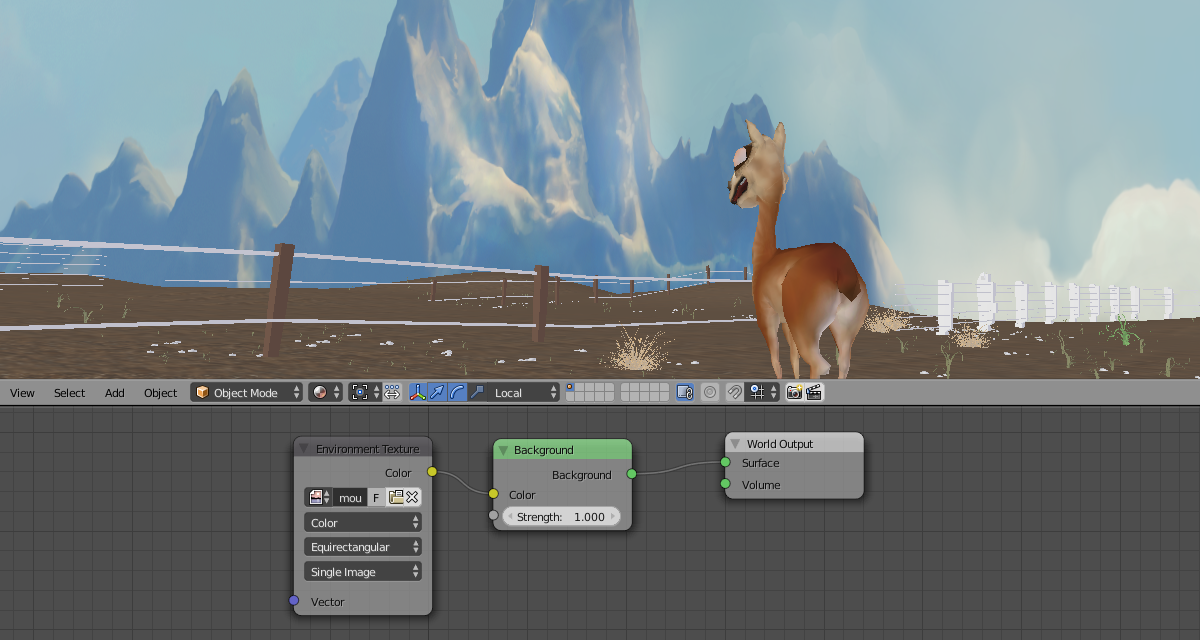
  • New fullscreen mode, improved Pie Menus, 3D View can now display the world background.
  • Knife-tool now allows freehand smart cuts, and more improvements were made in selection tools, Bevel Modifier and Shapekeys.
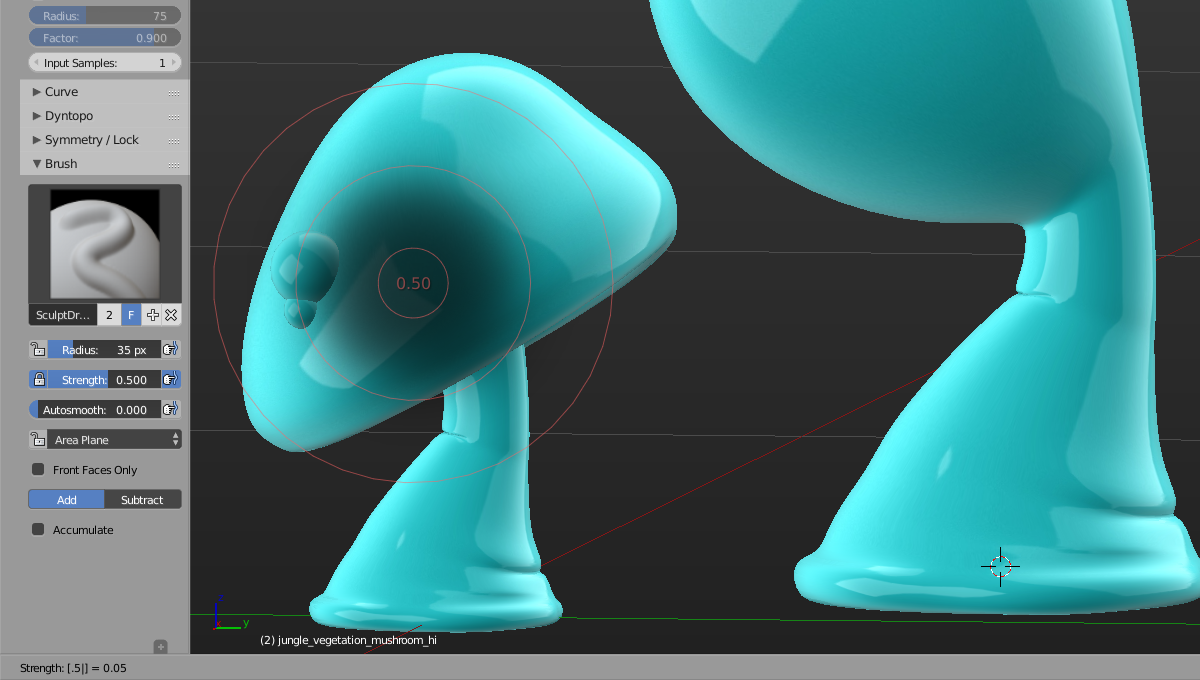
  • Unwrapping UVs was improved, strength is now enabled for Grab and Snake Hook brushes, better visual feedback mode for painting with masks.
  • Sequencer now can show a backdrop, strips can be snapped to others along with other improvements.
  • Freestyle NPR Rendering has a new SVG exporter add-on, along with other improvements.
  • Grease Pencil had a major update, it is now possible to edit and animate strokes! New draw styles, and imporvements in user interface.
  • Collada Importer was updated, improving the compatibility with other software’s bone concepts.
  • Add-ons: FBX improved importing/exporting armatures, some Python API changes  could need some Add-ons to be updated!
  • As usual several other minor updates and improvements, and lot of bugfixing also in this release.
2.73_cycles_area_light

Cycles Render

  • Volumes can now be rendered if the camera is inside them
  • Support for cubic voxels interpolations to avoid artifacts especially on low resolution smoke simulations
  • Support for GeForce 9xx GPUs
  • Faster rendering of homogeneous volumes
  • Improved rendering with area lights
  • Viewport specularity
2.73-cycles_world_bg

User Interface

  • New Fullscreen mode displays an environment without any buttons or other “annoying” user interface elements
  • A number of Input Method Editors (IMEs) are now supported for complex non-latin character input (widely used in east-Asia)
  • Pie Menus are now using a confirm threshold
  • Pie Menus can now contain nested Pie Menus
  • The 3D View has a new option to display the world background
2.73-knife_tool

Modeling

The Knife-tool now allows freehand cuts drawing and closing of cut-loops via double click. Selection during modeling has been improved by adding the ability to select similar regions, plus the select more/less function has gotten the option to skip adjacent faces. A few other improvements were made, like for the Bevel Modifier, Shapekeys
2.73-sculpt

Sculpting / Painting

Unwrapping UVs was improved by using a simpler unwrap method. Numerical input is supported for changing brush size, detail size and strength. The latter one can now also be changed for Grab and Snake Hook brushes. When painting with masks, the face-mask edges are hidden to give proper visual feedback of what you are painting on.
2.73-sequencer

Sequencer

Similar to the Compositor, an option to show the current frame as a backdrop has been added. Strips can be snapped to others by pressing the G key while moving them and their content can be moved independently of the strip itself (S). A few minor things were also made, such as an option to toggle all waveforms on/off, or drawing of meta-strip range while editing them.
2.73-freestyle_SuzanneContours

Freestyle Non-photorealistic Rendering

The non-photorealistic render engine Freestyle got a new SVG exporter, implemented as an add-on. It’s now also possible to cache view maps and a few more options for chain selection and chain sorting were added.
2.73-gpencil

Animation

The Grease Pencil was given a major update. As a result, it is now possible to edit and animate strokes! There are new ways to draw styles, like filled stroke interiors, volumetric strokes, etc. The Grease Pencil’s user interface (which is now completely defined via Python) has been improved as well, plus two quick access pie menus were created for it. Besides from the Grease Pencil update, there are some other minor improvements regarding animation.
2.73-import-export-01

Add-ons

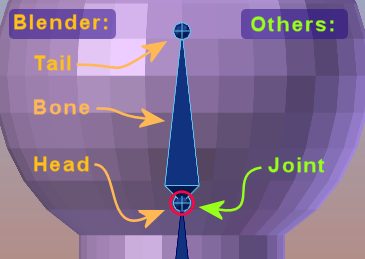
Some updates were made for the Collada Importer. Compatibility of Blender bones to other software’s bone concepts was made better and the problems with “Leaf Bones” and that Collada isn’t aware of Blenders connection system between bones were fixed.
The FBX Add-on now uses some advanced handling/tweaking options for importing and exporting armatures. To Add-on developers: Some changes were made to the Python API, make sure to check them out and update your Add-ons if necessary!
2.73-new_track_layout

More Features

Several optimizations: mesh deform modifier now uses SSE2 with multi-threading, compositor’s gaussian blur node implemented in OpenCL, vertex parent optimized for a few cases. In 3D View added GLSL specular transparency support for Blender internal materials, and support for specular highlights in cycles materials. Motion Tracking predictive tracking has been implemented now, enabled by default and doing magic under the curtain. Added shortcuts for masks and tracks copy-paste operators.

Download link: http://www.blender.org/download/

marți, 23 decembrie 2014

Natron 1.0.0 stable released - free open source compositing software

Natron open source compositor
The open source (node-based) compositor Natron has just seen it's official 1.0.0 stable release, and it contains a long list of improvements.
OpenFX-focused processing in a 32bit float linear color pipeline, OpenColorIO-based color management, OpenImageIO-based support for DPX, EXR, TIFF, PNG etc.
Natron has received many improvements since the last published release candidate. You can see the change-log right here or in the About window within Natron.
This is the first stable release planned to be maintained.
The quick list of new features is:
  • much lower RAM footprint thanks to improved caching strategy;
  • new HSVTool node for color grading in HSV or color replacement, new HSVToRGB and RGBToHSV nodes;
  • new Saturation node to adjust just the color saturation;
  • new DiskCache node for caching a branch of a compositing tree to disk;
  • tracking is threaded now to deliver better performance.

Natron open source compositor
The following features are included in the plans for Natron v1.1 and already almost implemented:
  • Python 3 scripting: parameter expressions, user parameters, callbacks, groups, custom graphical user interface thanks to Pyside and overall control over the application.
  • Optical flow: This will be integrated with a set of different plug-ins handling motion vectors. The motion vectors will be generated with a VectorGenerator node and used within several effects such as Motion blur or Retiming.
  • ’G’mic integration: G’mic is a full featured image processing framework containing literally hundreds of effects. It will be proposed as a separate OpenFX plug-in not distributed with Natron due to license issues.
In the meantime, you can get more informations about the project and Natron more specifically in FAQ section.
Finally some videos:
Natron nodal compositing software on Ubuntu 15.04 linux


Space Moba making with Blender and Natron


Natron - Point Tracker Node