vineri, 3 ianuarie 2014

Gimp in 2013 and future projects

GIMP
2014 it is about completing the port of GIMP to GEGL, the new hi-end image processing engine. It’s a prerequisite for advanced features such as non-destructive editing, layer filters, advanced CMYK support, and more.
Please refer to the wiki (http://wiki.gimp.org/index.php/Hacking:Porting_filters_to_GEGL) for an overview of the progress.

Google Summer of Code 2013 program:
  • Carlos Zubieta added an OpenCL version for over a dozen of GEGL operations, so that more processing could be done on a GPU.
  • Simon Lui ported the PSD plug-in to use GEGL. GIMP is now capable of loading 16bit and 32bit per color channel PSD files, and more PSD-specific features will be easily plugged in once a GIMP counterpart is available (such as layer effects).
  • Marek Dvorožňák implemented a new N-Point deformation tool that makes it possible to deform objects while preserve shapes consistency. You can watch a video demonstration of the tool on YouTube.
  • Ajay Ramanathan attempted to merge selection tools into a single tool selection with modes (rectangular, ellipse, single row/column, N-side polygon selection modes).

More details at: https://mail.gnome.org/archives/gimp-user-list/2013-December/msg00225.html
Gimp roadmap (future projects): http://wiki.gimp.org/index.php/Roadmap

Giveaway - EaseUS Partition Master Pro 9.3.0

EaseUS Partition Master Pro
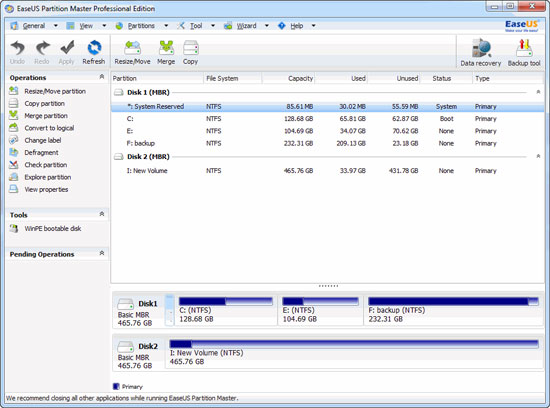
EaseUS Partition Master Professional Edition is an all-in-one partition solution and disk management utility. It allows you to extend partition, especially for system drive, settle low disk space problem, manage disk space easily on MBR and GUID partition table (GPT) disk.
The most popular hard disk management functions are brought together with powerful data protection including: Partition Manager, Disk & Partition Copy Wizard and Partition Recovery Wizard. Moreover, you can create bootable CD/DVD in case of system boot failure.
Download link available for today:
http://www.giveawayoftheday.com/partition-master-pro-9-3-0/ 

marți, 24 decembrie 2013

Blender Foundation - Gooseberry Open Movie Project

Gooseberry Open Movie Project
2014 and 2015 are going to be great years for Blender! Ton Roosendaal shared some plans - Gooseberry Open Movie Project:
  • EU funding of €220,000 per year (with luck for two years).
  • The launch of Project Gooseberry, the new Blender Institute open movie (a teaser website is now live).
  • A list of projects and tools – many in the content/asset management and collaboration area.
  • A list of full time and part time employees – the team is growing!
In the past 6 months, I’ve only had time for a handful of tiny commits to the Blender code. As much as I love coding and work on Blender itself, I’m also quite useful for other tasks – especially to help the Blender project to grow, become more professional and to get more developers on board.
Blender has grown as a community and volunteering project very well in the past decade, but the current user demands and our ambitions also require that we need more full-time developers on board. The past Open Movies have helped with that, and last year the Development Fund and gifts from sponsors allowed us to hire more people as well.

vineri, 20 decembrie 2013

Giveaway - Picture Cutout Guide

Picture Cutout Guide separates solid objects from an arbitrary background and transfers them to another photo. The software offers these tools: Wide Edge – allows separation of an object from its background and storage for later making a picture collage, applies background effects; Paste Object – pastes a separated image into another photo, makes a collage of pictures, fulfils export and import of the objects; Smart Patch – replaces one area of the photo with a “patch” from another area of the photo; Text; Resize; Crop; Rotation.

Download link available for today only: http://www.giveawayoftheday.com/picture-cutout-guide-3-0-2/

Alternative: Gimp

sâmbătă, 14 decembrie 2013

Giveaway - iSkysoft Video Converter Ultimate

iSkysoft Video Converter Ultimate
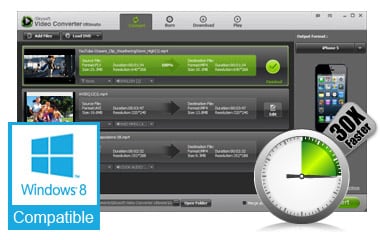
iSkysoft Video Converter Ultimate is a comprehensive video tool that helps you to convert more than 150 video types, including AVI, MP4, WMV and more. It allows you to rip DVDs and convert videos to play anywhere with original quality. The 30X converting speed makes the program a real life saver. You’ll also be able to download and convert online videos from popular online video sites such as Youtube and Hulu.

Features:

  • Supports MPEG-4,XVID,DIVX, and more formats lossless conversion;
  • Converts video 30 times faster than competitors;
  • Converts DVDs and videos to over 150 formats to play anywhere;
  • Burns videos to DVD discs, DVD folders or ISO files;
  • One-click to download online video and record video with ease;
  • Convert any 2D video to 3D for a 3D fun.


Download link available for today: http://www.giveawayoftheday.com/iskysoft-video-converter/

marți, 10 decembrie 2013

Microsoft releases new Photosynth, 3D images into Video-Like experiences

Photosynth
There is a new generation of Photosynth (Microsoft) with 3D image technology. The software application generates a three-dimensional model of the photos and a point cloud of a photographed object.
The prior two versions of Microsoft Photosynth, which offer the original synths and stitched panoramas, are still available on the main Photosynth website.
Meanwhile, the updated technology now supports four basic experiences: “spin,” “panorama,” “walk” and “wall” - see Synth types bellow. As their respective names describe, each offers a different kind of 3D image viewing experience – a spin around an object as small as a teacup or as large as a glacial peak, Microsoft explains, a panoramic view, a walk – like down a path through the woods, for example – or a slide across a scene.

Synth Types

Photosynth : spin
Spin around an object as small as a seashell or as large as a mountain.
Photosynth : panorama
Put yourself in the center of a space and look in every direction.


Photosynth : walk
Follow a path through the woods or fly toward a destination.
Photosynth : wall
Slide across a scene, checking out every last detail.
Photosynth : wall

Giveaway - iResizer 2.4 (for Win and Mac)

iResizer
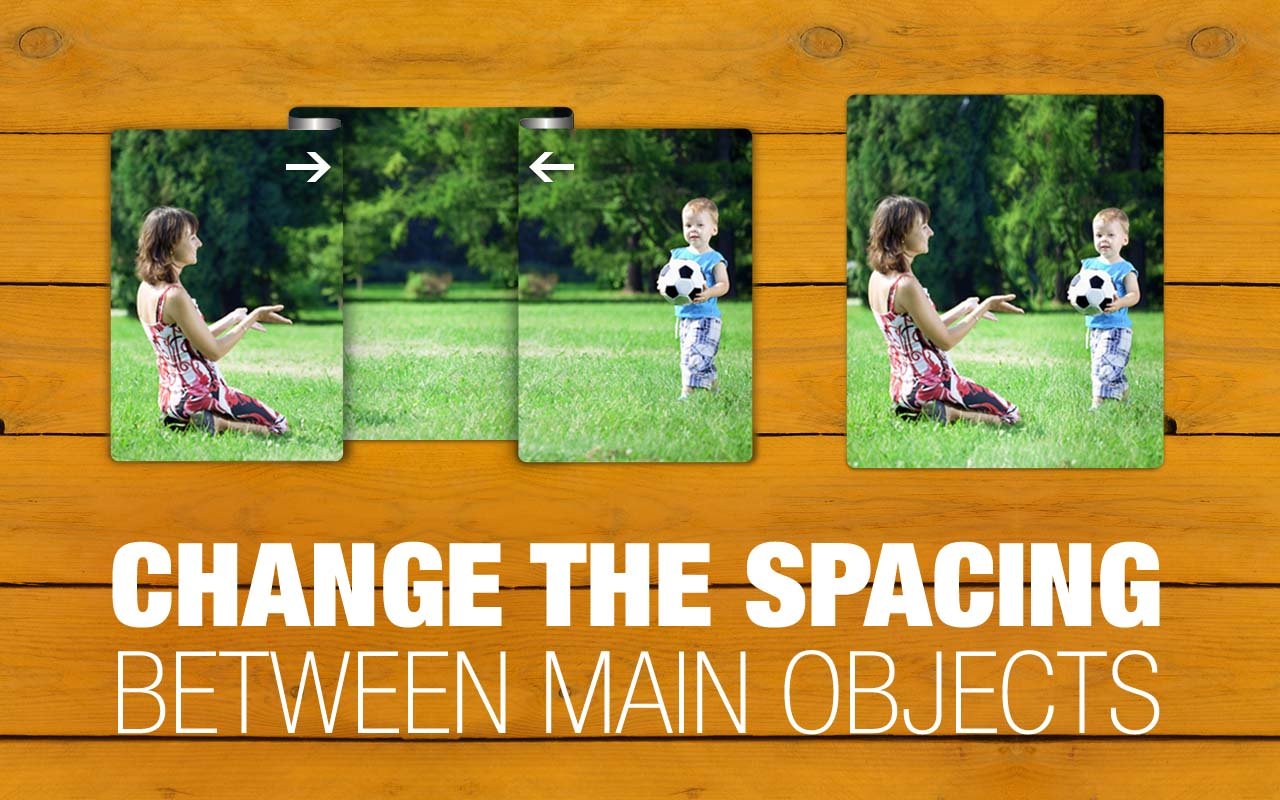
iResizer enables new smart ways of resizing images without deforming or cropping the content. It can scale an image without changing important visual content such as people, buildings, animals, etc. While normal resizing affects all pixels uniformly when scaling an image, iResizer resizing mostly affects pixels in areas that do not have important visual content.
It also can be used to remove portion of the image in a consistent way.

Download link available for today: http://www.giveawayoftheday.com/iresizer-2-4-for-win-and-mac/


Alternative: Liquid rescale plugin for Gimp